Product Updates
New from Iterate: Insights reports
June 2026
We've been hinting at this one for a while, and it's finally here. If you've ever stared down hundreds of open-ended responses wondering where to even start, this is for you.
New: Insights reports
Open-ended feedback is where the real answers live, but reading every response to find them is a slog, and most of it never gets read at all. Insights reports hand you the answer up front. Point one at a freeform question and you get a generated summary of what people are actually saying: the key takeaways that keep surfacing, how sentiment breaks down, the outliers that don't fit the pattern, and what to do next. No scrolling, no tagging, no spreadsheet.
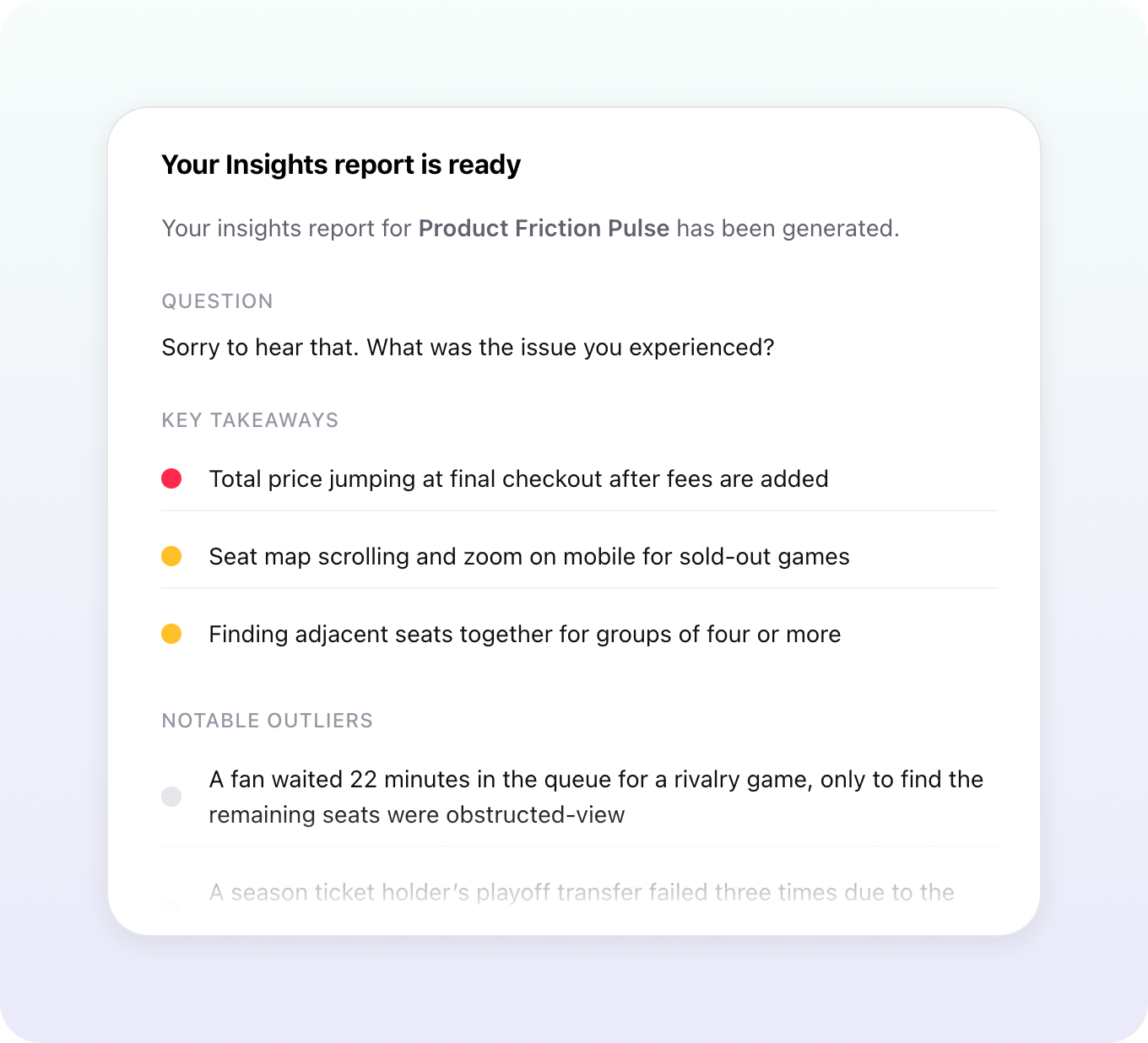
Every report is laid out the same way, so you always know where to look: a short summary at the top, the key takeaways with representative quotes pulled from real responses, an overall sentiment breakdown, and a section for outliers, the feedback only one or two people mentioned that's often where the most surprising and actionable stuff hides.
Run it once, or put it on a schedule
You can generate a report three ways, depending on whether you want a snapshot or an ongoing pulse:
- All-time – One comprehensive read across every response a question has ever collected. The fastest way to get the full picture.
- Custom – A one-time report over a date range you pick. Perfect for a single launch, a quarter, or a holiday season.
- Recurring – Generates automatically every week, month, or quarter. Set it up once and a summary lands in your inbox each time a new one is ready, with the full report a click away.
Recurring reports do something the others can't: they track how feedback is changing. Each one opens with a New since last report section that surfaces rising themes, brand-new themes, fading themes, and sentiment shifts. It's the difference between knowing what customers are saying right now and seeing which way the trend is heading. Weekly for the team, monthly for the roadmap, quarterly for the board.
When you need the why, not just the what
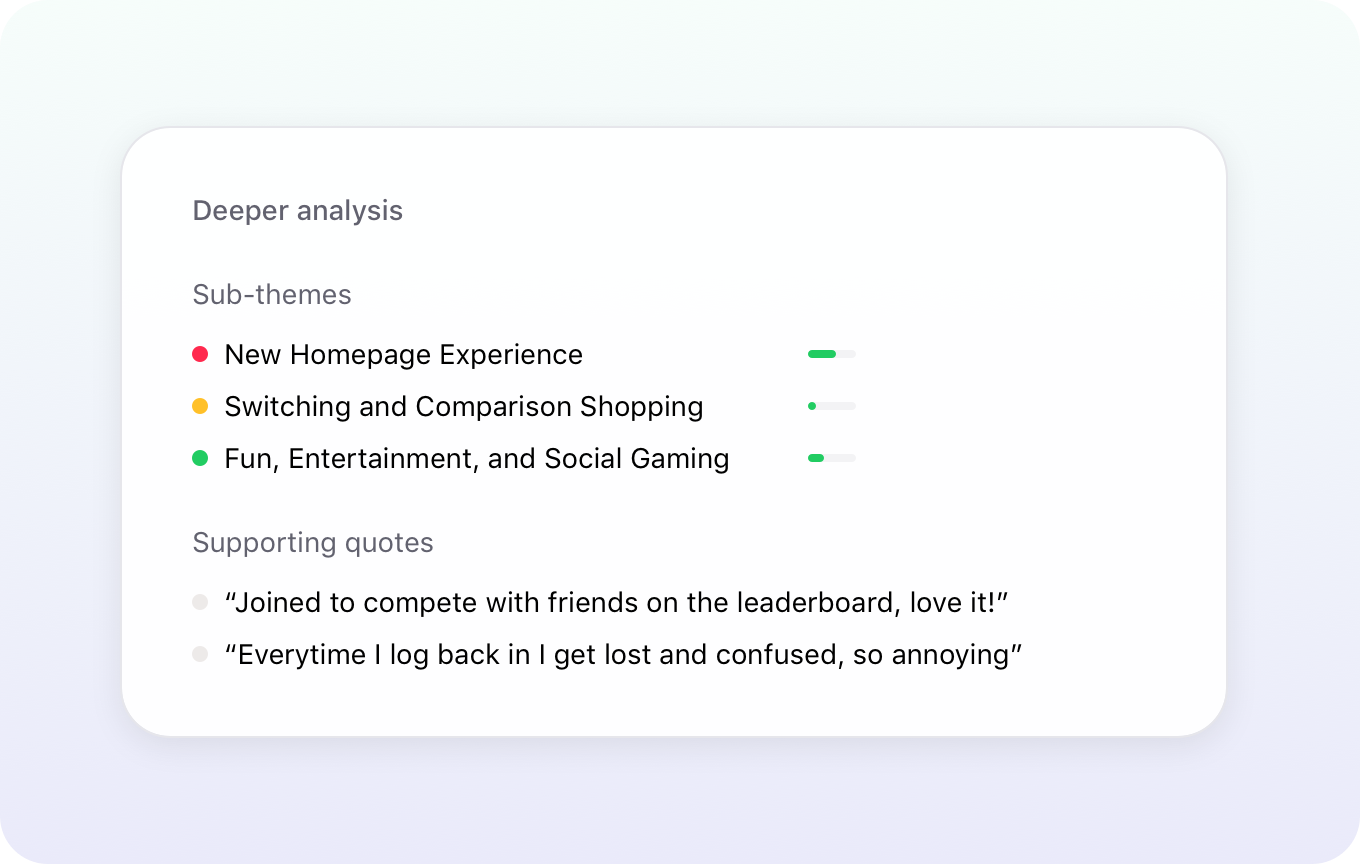
The headline summary is meant to be skimmed. When a takeaway deserves more, click into it and choose Deeper analysis to see how it emerged from the data, the quotes driving it, any sub-themes hiding underneath, and a more nuanced read on sentiment. Insights reports tell you what's happening. Deeper analysis tells you why.
How to try it
Open a survey, find a freeform question with at least 50 responses, and click Generate report. Pick all-time, custom, or recurring, optionally add a prompt to steer the analysis (like "focus on checkout-related feedback"), and you're off. Each run uses one report credit, and your plan includes a monthly allowance to get started.
Full walkthrough in the Help Center.
New from Iterate: Follow-up questions, Zapier actions, and more
May 2026
It's been a busy few months and we've got a bunch of fresh updates to share. Leading the way is something we're really excited about: a way to dig deeper into open-ended answers without lifting a finger.
New: Follow-up questions
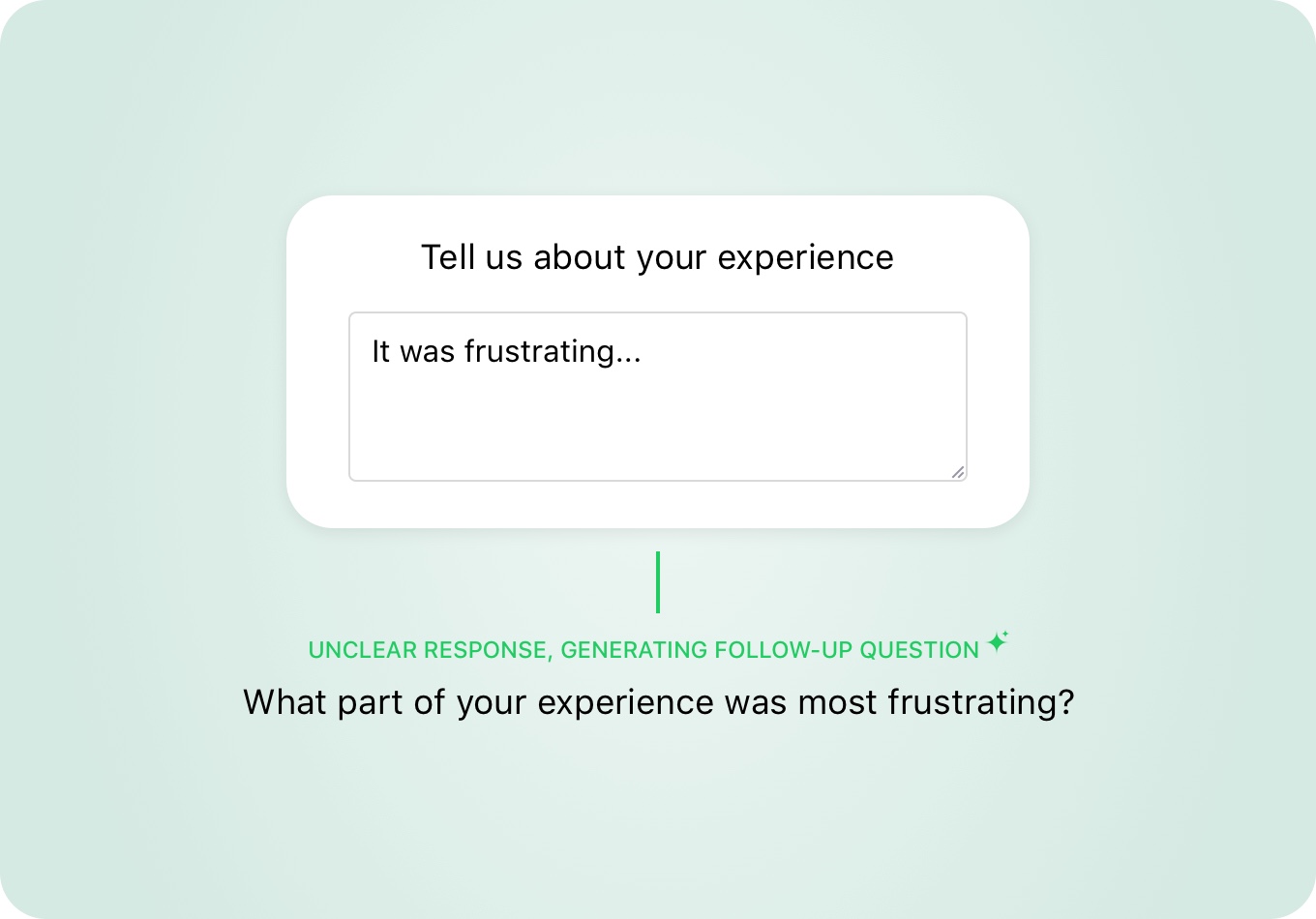
Open-ended responses are where the gold is, but they're also where most teams stop digging. A respondent says "the checkout was confusing" and you're left wondering what part, on what device, compared to what. Follow-up questions fix that. When someone leaves an open-ended answer, our AI reads it in real time and asks a tailored follow-up that pulls out the specifics, no extra setup, no generic "tell us more" prompts.
It's a simple per-question toggle, so you can turn it on where richer feedback matters and leave it off everywhere else. Every follow-up answer is saved alongside the original response, so it shows up in your dashboards, exports, and integrations like any other answer.
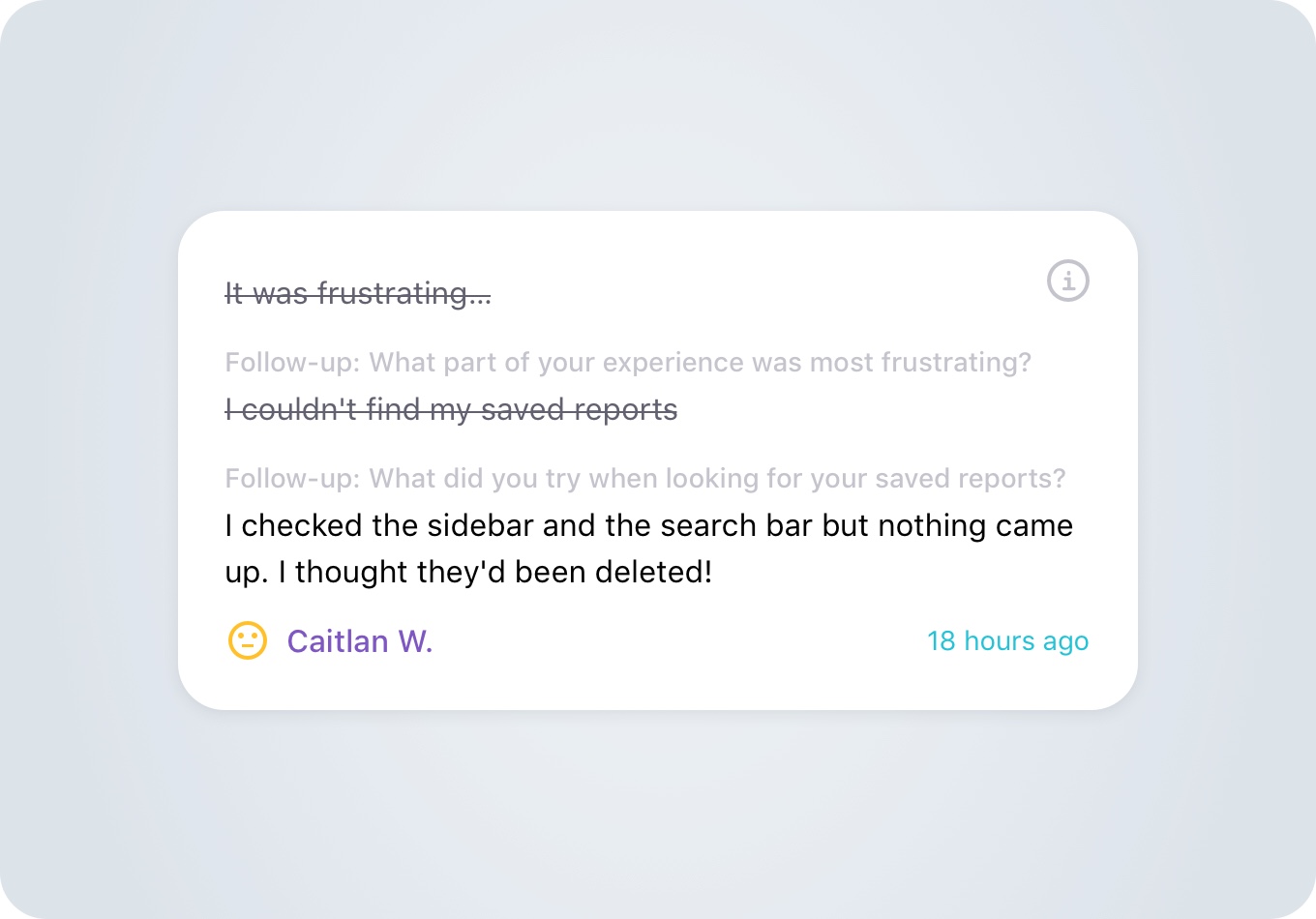
And because follow-ups happen right in the moment, the lift in qualitative depth is real. Teams using it are seeing two to three times more usable detail per open-ended response. Follow-up answers also flow into Slack notifications and response emails too, so the richer context lands wherever your team already looks.
Full details over at iteratehq.com/followup-questions.
Even more new things
- Question Bank on the home page – The Question Bank now lives at the top level too, so you can browse, edit, and reuse your team's saved questions without digging into a specific survey first.
- Zapier actions – Iterate's Zapier app now supports actions in addition to triggers, so you can push data into Iterate from anywhere Zapier connects to, no custom code required.
- Smarter bot detection – We've tightened up our bot and spam detection across the board with better email scanner detection, smarter handling of edge cases, and cleaner logging. Less junk in your data, less work for you.
- Annual email allotments – Email surveys can now use an annual allotment instead of a monthly one, giving you the flexibility to run a big seasonal send without worrying about hitting a monthly cap.
- API documentation page – Our public API now has a proper home at iteratehq.com/api-docs, with everything you need to build against Iterate in one place.
And a few more good things…
- Min/max bounds on date questions
- Character limits on freeform questions
- Paste a list of options into single and multi-select questions
New from Iterate: Segment source, reminder emails, file uploads, and more
February 2026
We've got a solid batch of updates we've shipped already this year. These focus on better data flow, higher response rates, and more flexible research.
New: Segment & Mixpanel source integrations
Segment – Iterate is now a Segment Source! Every survey response flows straight into Segment as clean events and traits. Your feedback data now sits alongside product, lifecycle, and behavioral data without extra plumbing. Surveys are now usable everywhere Segment data goes, from analytics to activation tools.
You keep full control over naming and structure, so your data stays consistent with existing schemas. Once connected, surveys stop being a side channel and start becoming part of your core data model!
Mixpanel – We also recently completed a Mixpanel source integration. Survey responses can be sent straight into Mixpanel as events, with answers mapped to event properties. This lets you analyze feedback alongside product usage, funnels, and retention without manual exports or custom pipelines.
Use survey data to break down charts, build cohorts, and connect what people say with what they do. Once connected, feedback becomes part of your product analytics, not something living off to the side.
New: Reminder emails for email surveys
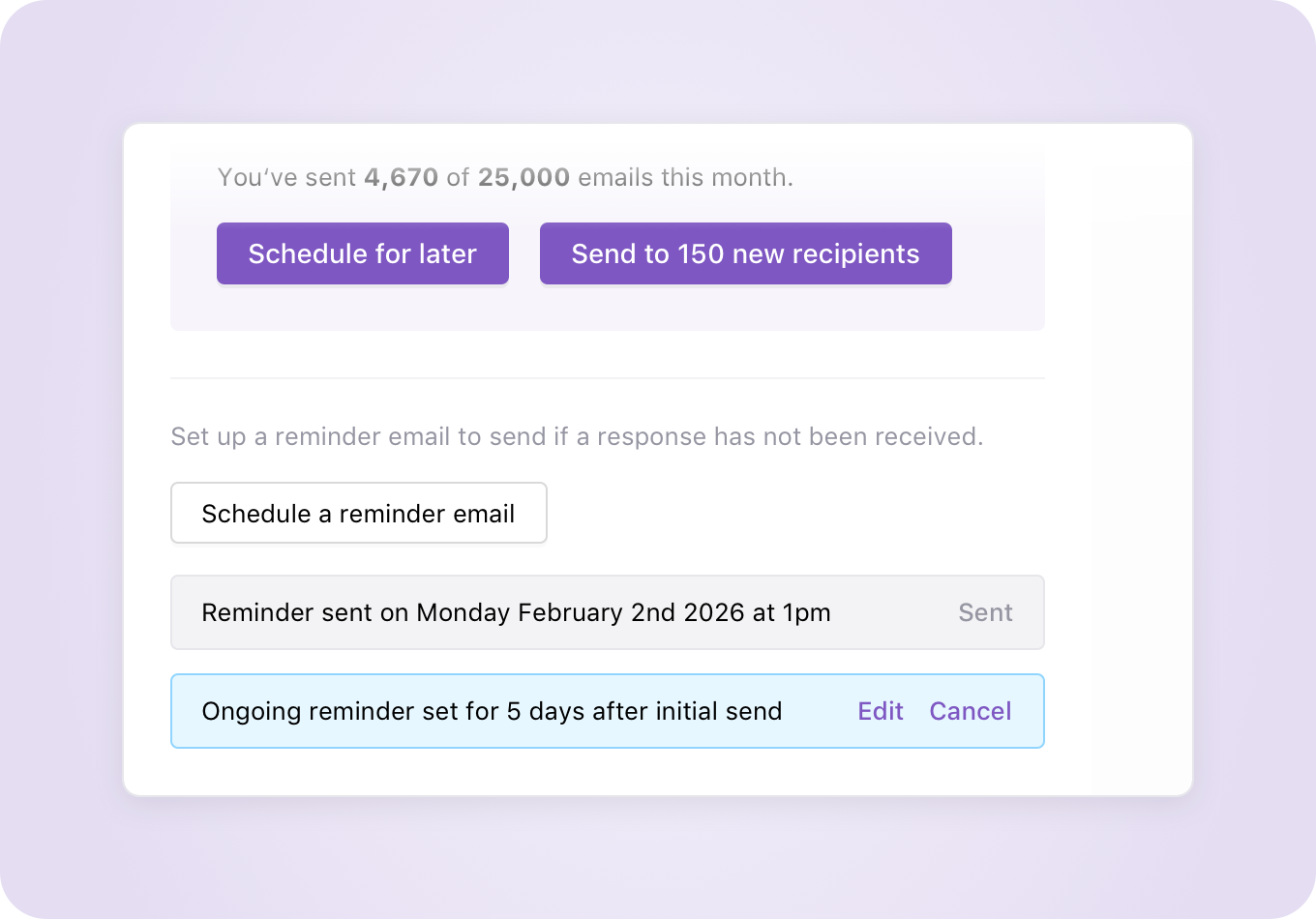
You can now control follow-ups for email surveys. Set automated reminders to send N days after a survey goes out if someone hasn't responded. Customize the subject and message so reminders feel human, not robotic.
Need a nudge right now? Send reminders on demand too. This will help teams lift response rates without resending entire campaigns or creating duplicates.
New: File upload question type
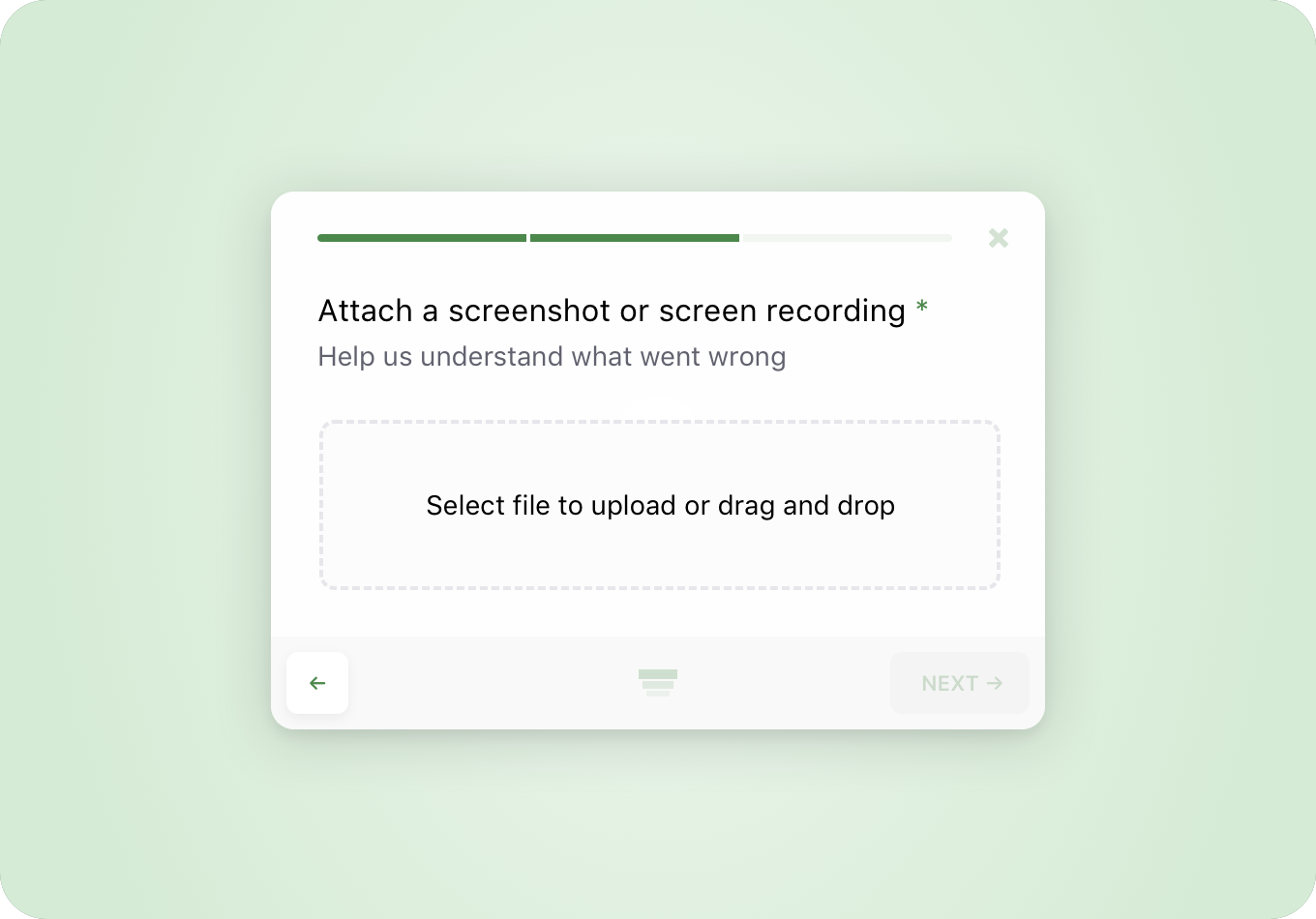
Surveys now support secure file uploads. Use this when feedback needs screenshots, documents, recordings, or other artifacts words don't cover well.
Each question supports limits by file type and size. All paying plans support up to 4GB of uploads. Built-in scanning and security detection run automatically, so files stay safe from the moment they land.
Even more new things
We've added more ways to fine-tune your research:
- Filter by multiple user or response property values – Dashboards and targeting now support filtering across multiple values at once. Making slicing feedback faster when audiences do not fit into a single clean bucket.
- Skip to question branches – Survey logic got more flexible. You now direct respondents to specific questions or sections based on earlier answers, not only linear paths.
- Sentiment and topics in CSV exports – CSV exports now include sentiment and detected topics for free-text responses, added as columns next to each answer.
- Target surveys to multiple domains – Web surveys now run across more than one domain from a single setup, great for multi-site products wanting to keep data unified.
And a few more good things…
- Manually edit sentiment on feedback
- New 'is set' and 'is not set' targeting options
- 'is any of' targeting and comma-separated lists
- New Edit button on questions for quicker updates
- Question bank polish, organize questions and add titles
New from Iterate: Question Bank, Custom CSS, CleverTap integration & more
September 2025
We’ve been cooking up some good stuff just in time for fall, here’s what’s new and ready for you to play with:
New: Question Bank
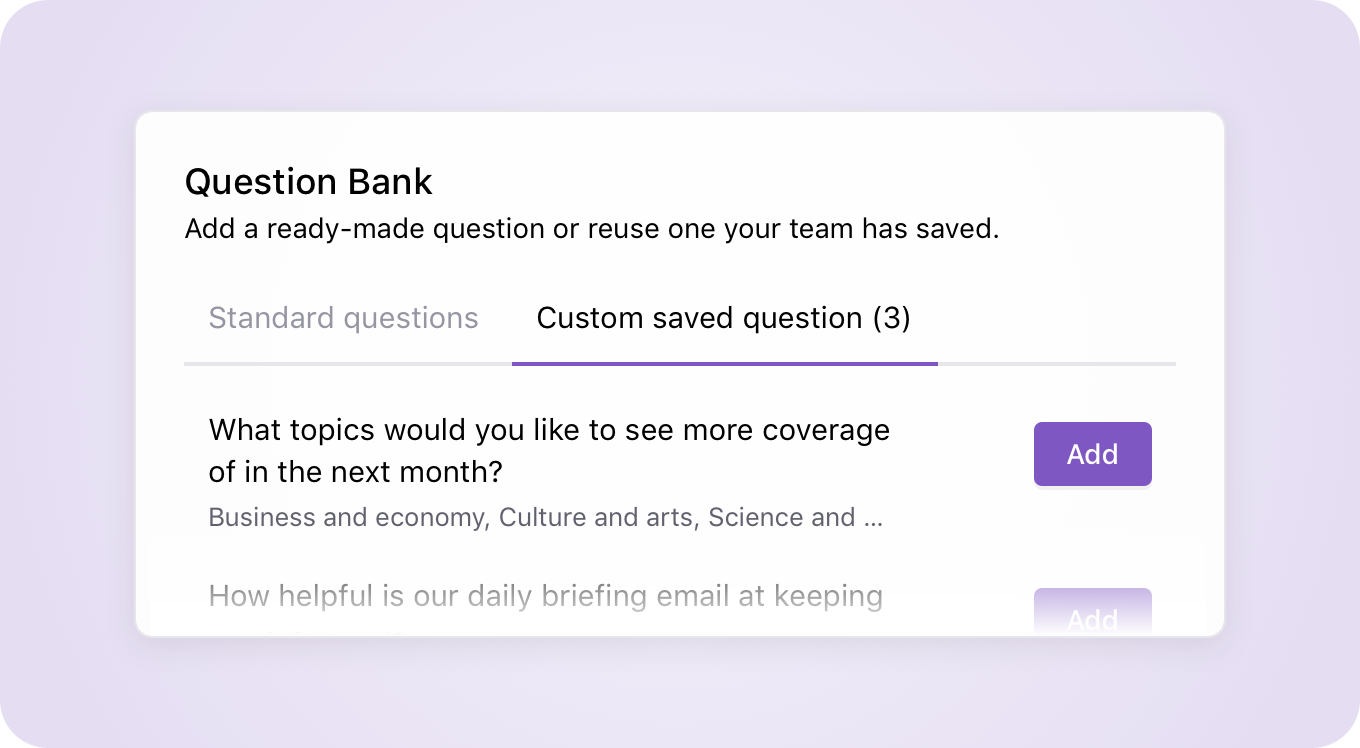
Say goodbye to reinventing the wheel! We’ve included a Question Bank that lets your team save and reuse your most common questions across surveys, from demographics and product feedback staples to your own custom creations. You can also pick from a growing library of ready-made templates, so building a survey is faster and more consistent than ever.
Adding from the question bank is simple: while building a survey, open the question bank from the add question flow, browse, and drop in what you need. And when you create something new you love, save it back to the question bank so the whole team can use it. No more hunting through old surveys and manually rewriting questions.
New: Custom CSS for email & link surveys
Your surveys, your style. Until now, custom CSS was only available in SDK embeds and Web embeds, but now you can bring that same flexibility to email and link surveys too. Add your branding, adjust spacing, style buttons, or go full-blown designer mode with custom styles.
The best part? This makes your surveys feel even more like a seamless part of your own product or campaign, whether it’s via a follow-up email or a shareable link. Your feedback requests can look and feel as polished as the rest of your brand experience.
New: CleverTap integration
For the marketers in the room, this one’s big. Our new CleverTap integration means you can send Iterate survey responses directly into CleverTap as custom attributes and events. That data can then fuel everything from smart audience segmentation to real-time triggered campaigns.
Got a product you use that doesn’t integrate with Iterate? Let us know!
Even more new things
- Question scoring – Lets you assign point values to answers for quizzes, assessments, and scoring models.
- Project-level domain targeting – Helps you control where surveys show up across multiple domains, giving you finer targeting and cleaner data.
And a few more good things…
- Average score display on rating scale charts (quick at-a-glance insights)
- Smiley CSAT option (because sometimes 😀 says it all)
- React Native 19 SDK support
- Okta IdP-initiated login flow
New from Iterate: Inline surveys, Iterable in-app embedded messages, & more
July 2025
Hope your summer’s going as smoothly as a five-star CSAT score! ☀️ We’ve been quite busy, here’s the highlights.
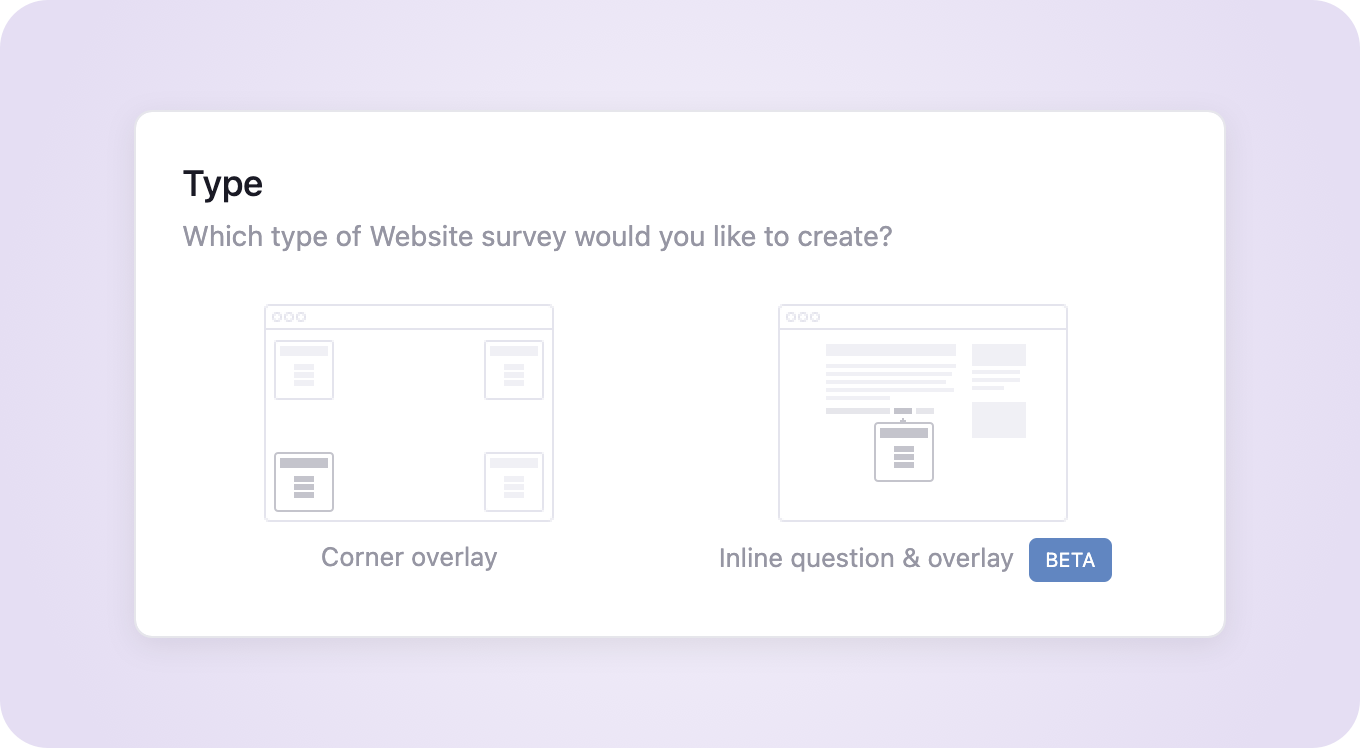
New: Inline surveys – now in public beta
You asked, we beta’d. Inline Surveys are now available for everyone to try. These snazzy little surveys live inside your website’s content, so you can ask the right question, in the right spot, creating an even smoother user experience.
Perfect for gathering feedback at the end of articles, or on specific product features, checkout pages, or walkthroughs… you name it. Hit us up if you want help placing your first one.
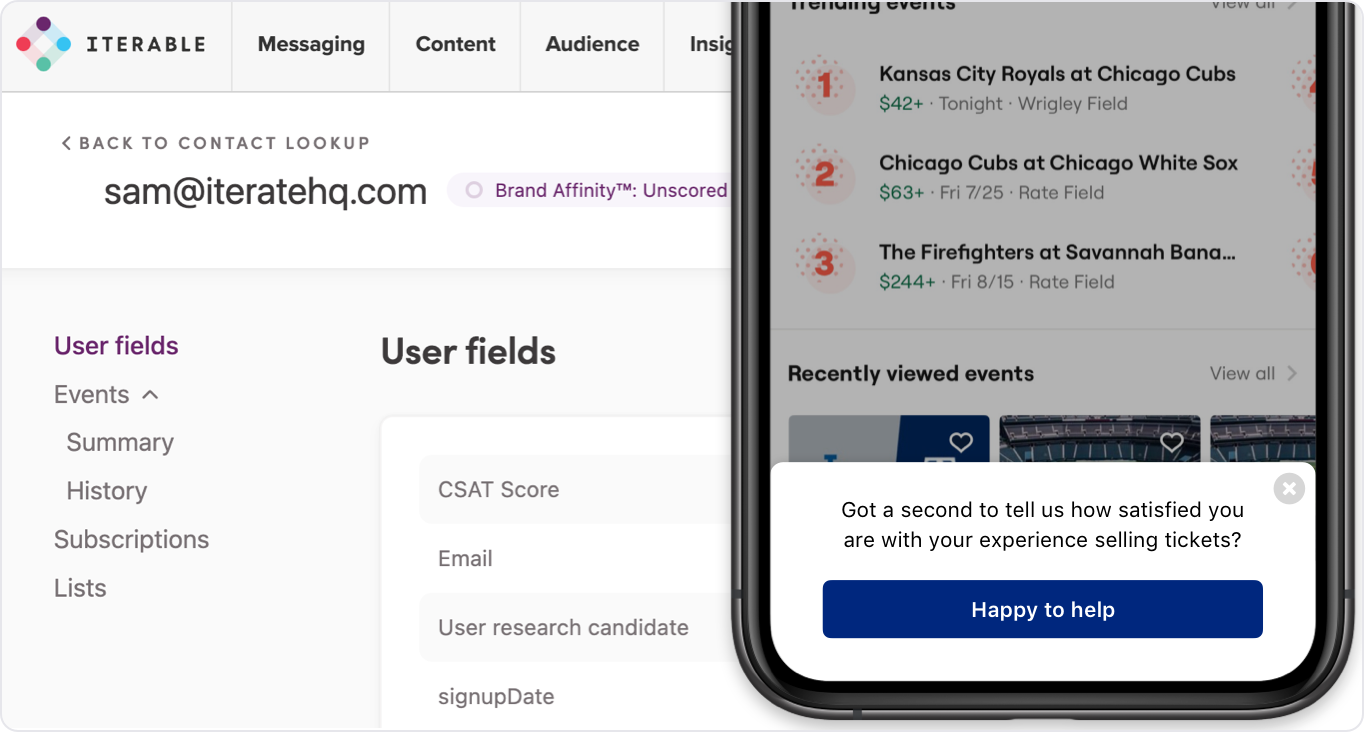
New: Iterable embedded message surveys
Surveys inside your in-app Iterable-powered campaigns? Yes please. Using Iterable’s embedded messaging feature, Iterate can now help you gather the data you need by delivering engaging, in-app questions with just a few quick lines of custom code.
Every response flows right back into Iterable: survey data gets saved as custom attributes, and responses trigger events you can use for campaigns, journeys, and segmentation magic.
This is in addition to our existing support for sending link surveys or embedding surveys inside of Iterable email campaigns, making it easier than ever to get feedback from the right folks, at the right time.
Smarter targeting, cleaner data, and happy customers. See the documentation for an overview.
Even more new things
- Improved bot detection – Nobody likes fake data (or fake friends). We’ve beefed up our bot detection to catch sneaky spam and keep your survey results tidy.
- Email embed + Braze translation tags – Sending multilingual surveys through Braze just got smoother. We now support Braze’s translation tag format directly in our email embed code, so you can personalize surveys by language automatically, no fancy footwork needed.
- New case studies – Get inspired by how other brands are leveling up their research game using Iterate. We’ve added fresh case studies from Match Group (Tinder, Archer, etc.) and Quizlet showing how teams are using Iterate to boost retention, improve onboarding, and uncover customer gold. Grab your popcorn 🍿 and take a peek. Interested in joining the exclusive Case Study club? Let us know!
Honorable mentions
A few small wins we’re also proud of:
- Bulk anonymize/delete users by custom property (tidy)
- More emoji options (because vibes matter)
- Send date values in a typed format to integrations (no more weird strings)
New from Iterate: Shopify integration, smarter questions, & even more
March 2025
The start of 2025 has been busy at Iterate, and we’ve got some more great updates to share, including a major integration, new ways to fine-tune your surveys, and better tools for keeping your projects organized. Let’s get into it.
New: Shopify Integration 🛍️
Calling all Shopify merchants! You can now integrate Iterate seamlessly into your Shopify store. Collect valuable post-purchase feedback, gauge buyer sentiment, and gain insights to refine your store experience, all without having customers leave Shopify. This new integration is quick to set up and effortless to use, so you can start learning from your customers right away.
New: More control over your questions
We’ve made it easier to customize your surveys exactly how you want:
- Dropdown answer type for Single Select questions, creating a simpler UI when there are lots of answer options to choose from.
- Min/Max answer selections for Multi-Select & Ranking questions, so you can set a minimum and/or maximum number of answer options that can be chosen.
- Reverse order for rating questions, making it easy to flip scales when needed. A simple but powerful way to reduce bias in your survey design.
New: Better project and survey management
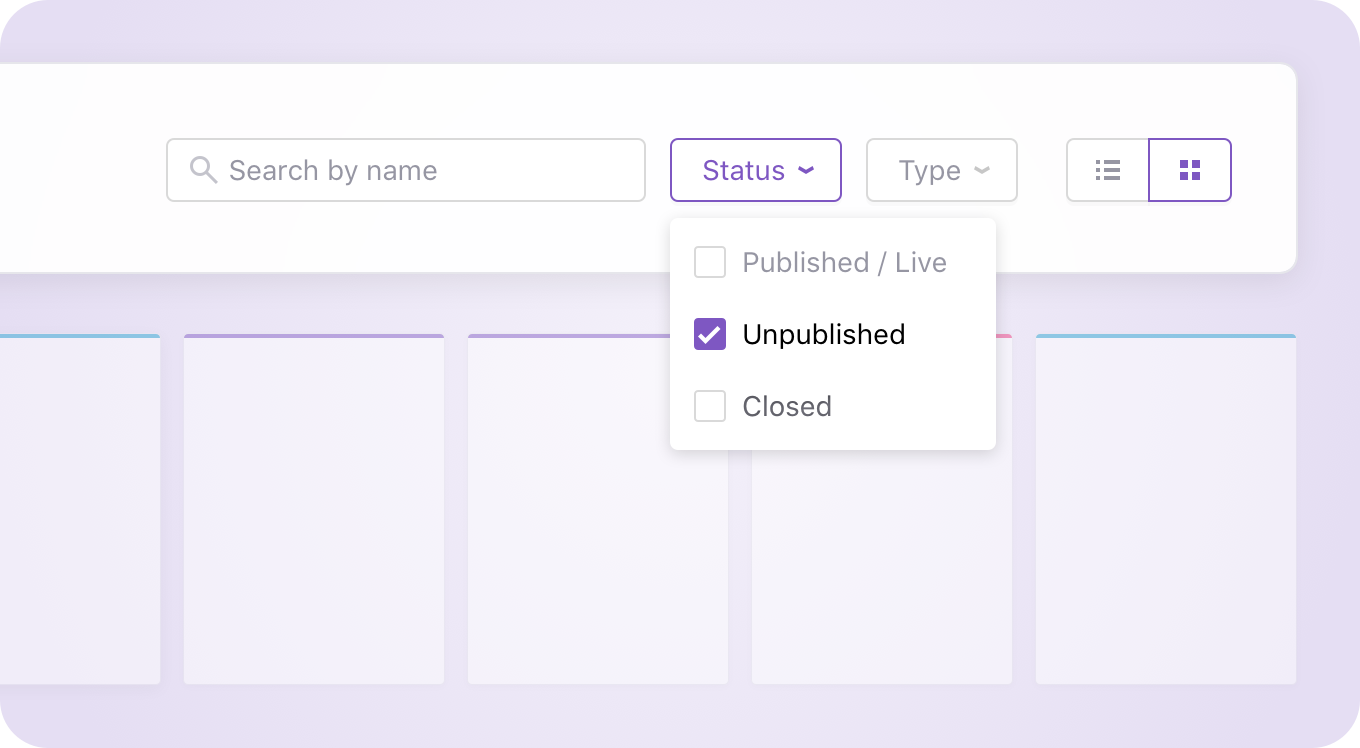
- Survey page filters – Quickly find the surveys you need with better filtering options. We’ve added a search field, making it even easier to find the exact survey you are looking for, or you can filter by type (web, mobile, email) or if it’s live, unpublished, or has been closed. Never lose a survey again.
- Archive a project – Keep your workspace tidy by archiving old projects while preserving all your data. Now you can hide completed projects from the list view, but still have access to them should you need to dive back into the past.
And even more...
- Right-to-left language improvements – Better support for RTL languages, making surveys more accessible worldwide.
- Disclaimer messages on all surveys – Ability to ensure compliance with a customizable disclaimer message on every type of survey.
- UI for customizing response properties in embed code – Now it’s even easier to add additional response properties to your embed code with a simple UI.
New @ Iterate: Multi-language Surveys, Enhanced Analysis, & More...
January 2025
Surveys that speak your customers‘ language (literally!) 🌎
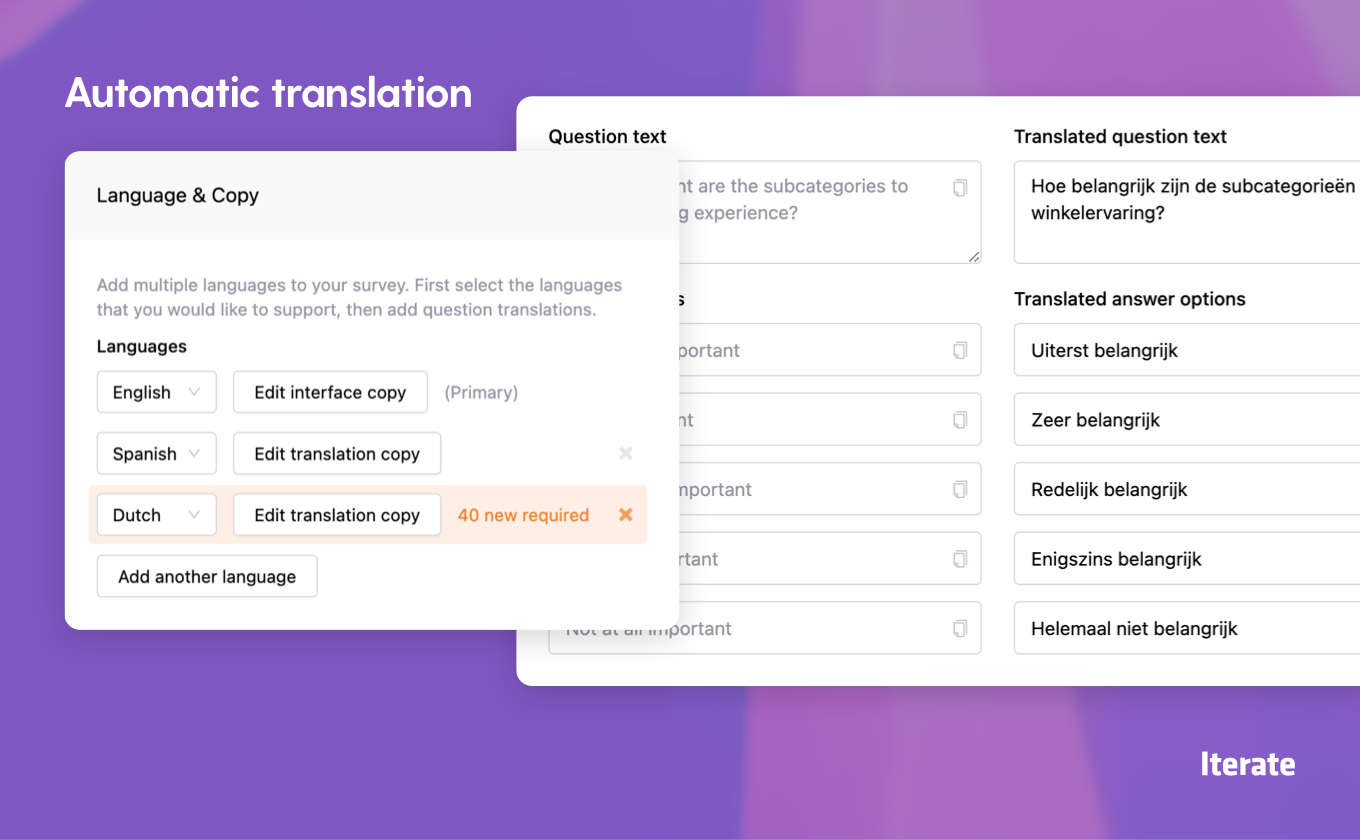
We‘re thrilled to introduce multi-language survey support! Now you can create surveys that automatically adapt to your recipients‘ language preferences, ensuring everyone can share their feedback comfortably. Create your survey in one language, and watch as Iterate instantly generates professional translations for any additional languages you need – whether you‘re collecting product feedback, measuring customer satisfaction, or running market research across different regions.
This powerful capability works seamlessly across all our delivery methods – from web and mobile SDKs to in-app messages via our integration partners. Your surveys will automatically display in each recipient‘s preferred language, helping you capture authentic feedback from global customers, understand regional preferences, and make data-driven decisions with insights from every market. No more managing multiple survey versions or missing out on valuable feedback due to language barriers!
New: Refined Website Survey Experience
We‘ve given our embedded website surveys a thoughtful design refresh. With subtle yet impactful improvements to spacing, typography, and visual elements, these surveys now blend even more seamlessly into your website‘s design. The result? A cleaner, more intuitive experience that feels native to your brand while making it easier than ever for your customers to share their thoughts.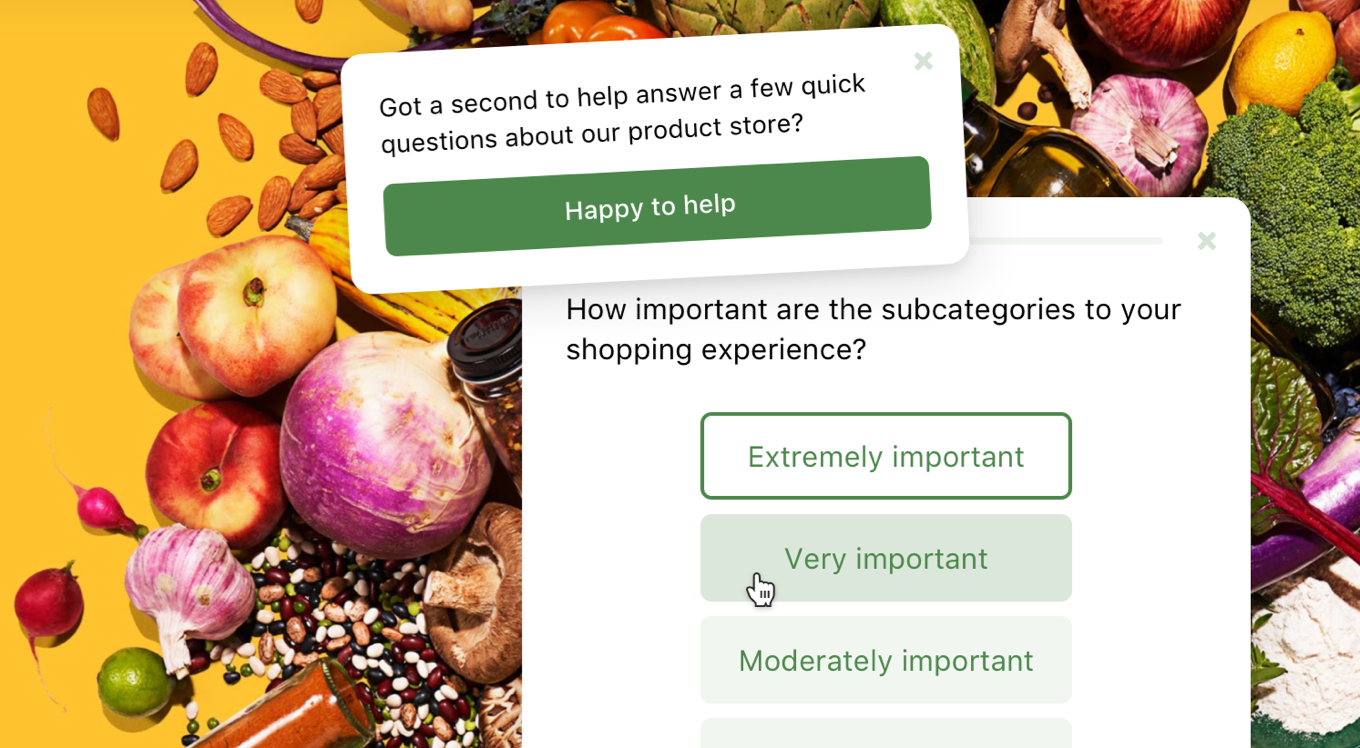
New: Supercharged Text Analysis
Our text analysis engine just got a major upgrade! Powered by the latest advances in AI, we‘ve significantly improved our ability to analyze free-form responses. Experience faster insights, more accurate sentiment analysis, and better topic clustering – helping you understand your customers‘ feedback more deeply than ever before.Even more:
- Enhanced analytics engine delivering lightning-fast dashboard performance and real-time insights
- New survey author tracking to help you better manage collaborative survey creation
- Additional API capabilities including start and end date filtering for response endpoints
- Extended stable classnames for even greater survey customization flexibility
Iterate now with Multilingual Analysis, Dark Mode, New Question Types, and more...
Version 2232
Introducing: Your Multilingual Research Sidekick
We’ve made significant enhancements to our Research Assistant feature recently, turning it into an ever more powerful tool for uncovering insights from large volumes of survey responses. Research Assistant delivers deep understanding of customer sentiment and experiences, enabling you to make data-driven decisions that elevate your products and services.
Now, with multilingual support, Research Assistant becomes even more versatile. Whether you‘re receiving responses in Spanish, German, Japanese, or any other language, it can swiftly analyze and interpret feedback, providing you with actionable insights—no matter where your customers are or what language they speak. This expanded capability ensures you never miss a beat in understanding your customers‘ needs, regardless of linguistic barriers. Mwah! 🤌
New: Dark Mode Support
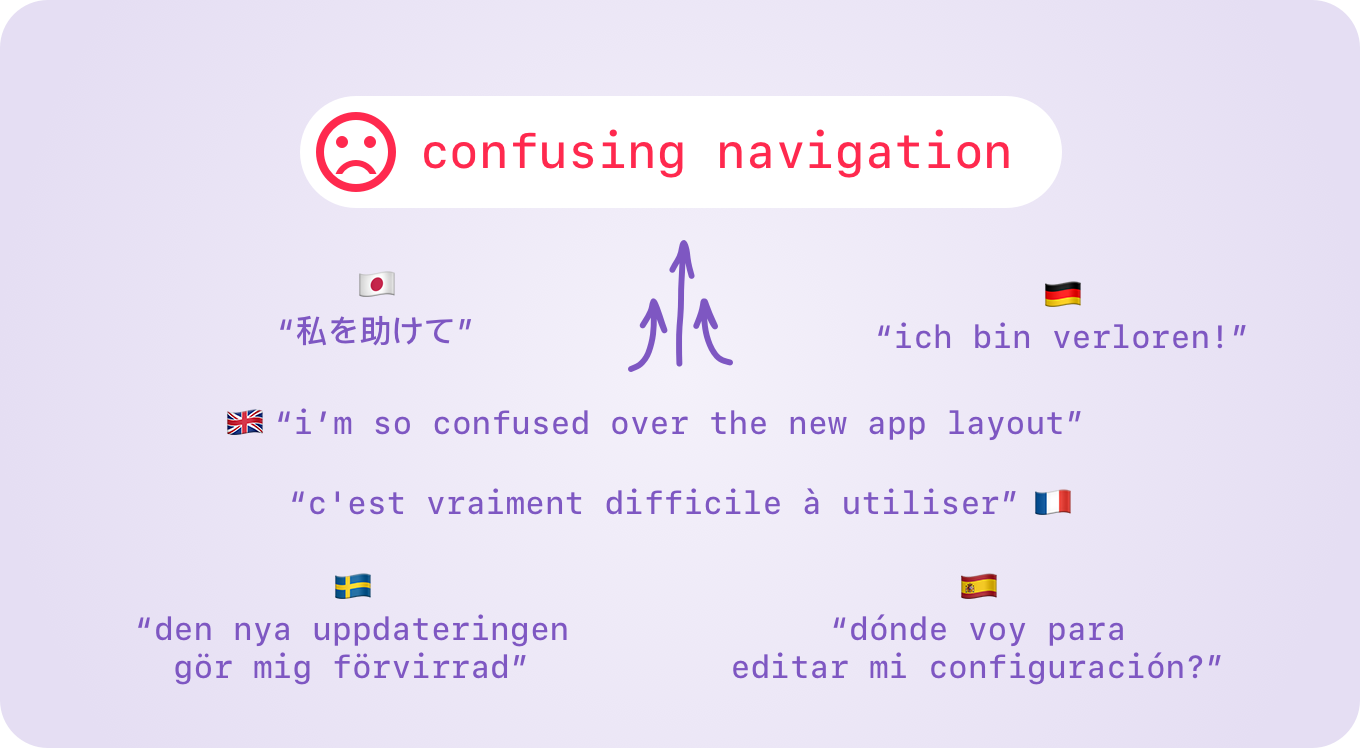
Night owls, battery savers, and dark interface creators, rejoice! You asked, and we delivered: Iterate now supports dark mode across all platforms. Here‘s what‘s new:- Auto Mode: For those burning the midnight oil, our survey interface now automatically switches from light to dark based on the recipient‘s device preferences. No more unexpected screen glare at 2 AM!
- Sticky Dark Mode: We‘ve got you covered if you‘ve lovingly crafted a dark interface for your brand. Our new sticky dark mode visual style setting ensures our survey interface blends seamlessly with your carefully designed dark aesthetics.
New: Per-Survey-Slack Notifications
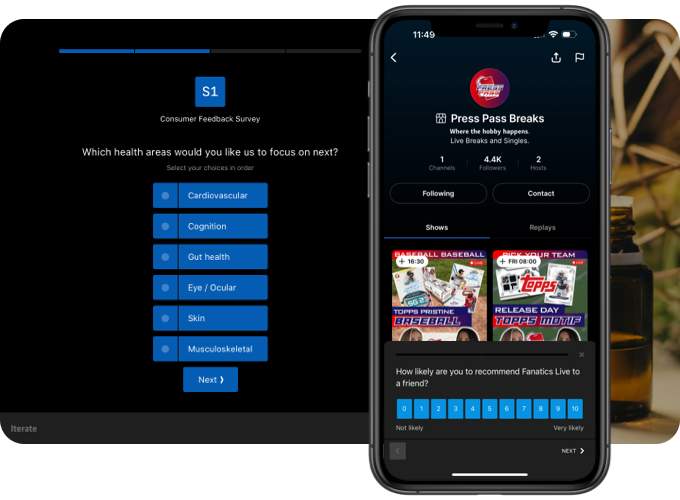
Stay informed without feeling overwhelmed. Our new per-survey Slack notifications streamline your survey response management by automatically routing responses to designated Slack channels. This feature integrates seamlessly with our powerful User Permission system, enabling both your immediate team and broader stakeholders to stay up-to-date on survey results in real-time.New: New Question Types
We’ve recently launched two new question types; Legal & Statement.- Legal: For when the Legal Eagle on your team insists on including a War and Peace length opt-in notice. This question type includes a scrollable interface for legalese, and skip-to-the-end disagree functionality. This will be invaluable for very specific use cases involving complex legal or regulatory requirements.
- Statement: Because sometimes you need to set the mood before popping the big questions. Statement allows you to insert an interstitial page with custom text and/or imagery, accompanied by a simple “Continue” button. Use it to introduce new sections, provide instructions, or offer additional information to your respondents.
Even more:
- Email Survey Disclaimer Message: A little big feature for those that require something a little subtler than a legal question type, helping ensure your surveys comply with legal requirements and professional standards.
- Multiple Response Support: We’ve added the flexibility for embedded email & link surveys to allow multiple responses over time. Survey creators can now set specific intervals (e.g., 30 days) for participants to submit responses again, enabling you to gather evolving insights.
- Klaviyo Integration: Our Klaviyo integration allows for seamless synchronization between your Iterate survey insights and Klaviyo email campaigns, enhancing your ability to act on customer feedback.
- Smarter Data Sorting for Charts and Graphs: To further improve the data discovery experience, we’ve added additional sorting options including by highest percentage/most responses.
- Horizontal Layout for Select/Multiselect Questions: This new option provides more flexibility in survey design and can be particularly useful for certain types of questions, or answers with short/long labels.
New @ Iterate: Airship & Segment integrations, Privacy update, & WAY more...
Version 2094
Two new and mighty-powerful integrations
We’ve teamed up with our partners over at Airship to build a powerful first-party integration. Iterate integrates with Airship by recording survey responses as custom attributes on user profiles and triggering events, allowing you to create powerful new audiences and segments. You can also deploy Iterate surveys as Airship In-App Automations, meaning you don‘t need to integrate any new SDKs! Easily fill in gaps and enrich your customer data by connecting Airship & Iterate.
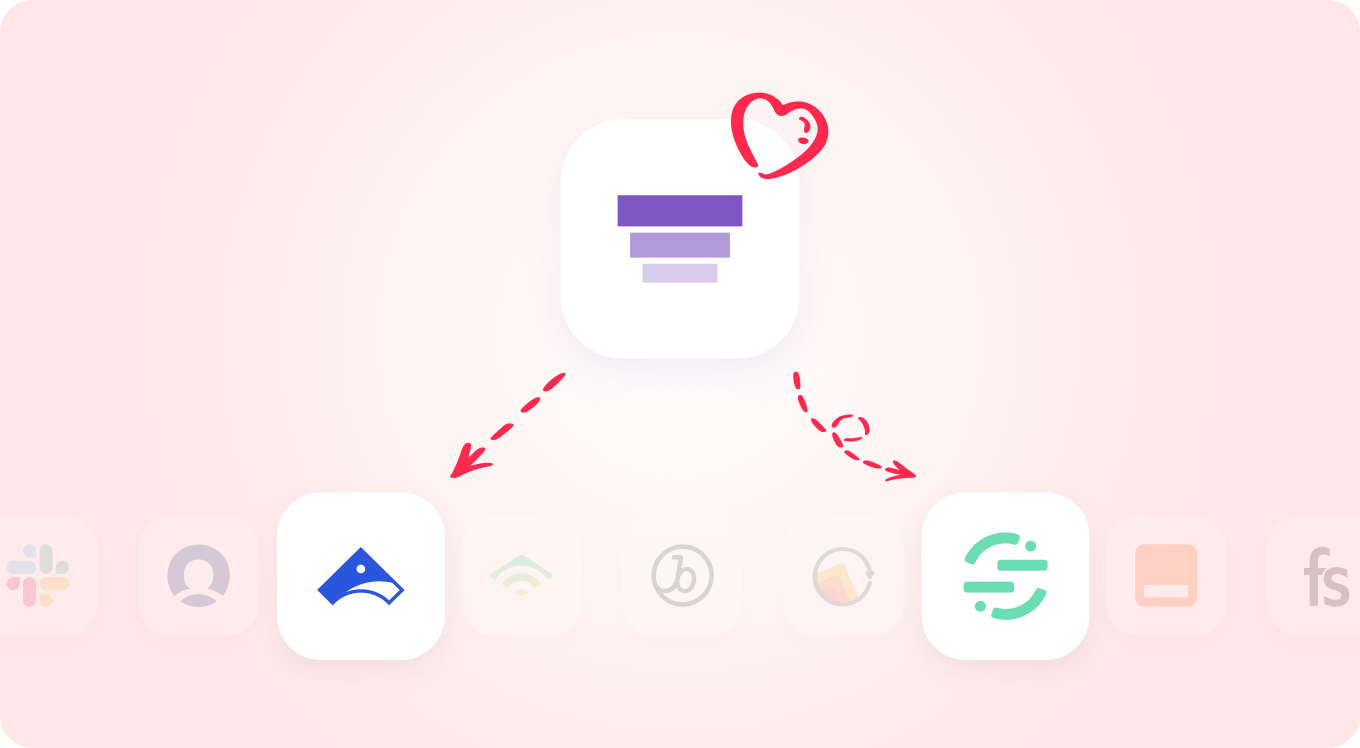
A long requested and highly anticipated integration we’ve also been working on just shipped; Segment! With our Segment integration you can send your Segment events into Iterate, and target Website surveys based on those. Easily enable event-based surveys that are highly-targeted and personalized!
Check out all of our Integrations, and send your requests our way!
New: Improved NPS question layout
Net Promoter Score™️ is a core question type that we’ve supported since Day One at Iterate, and it recently got a design tweak. The new version of our NPS question optimizes for an improved visual style, larger click/tap targets for accessibility, and a responsive layout that works great on small screens and mobile devices whether sent from Iterate, or embedded into your own email campaigns. Hashtag promoter.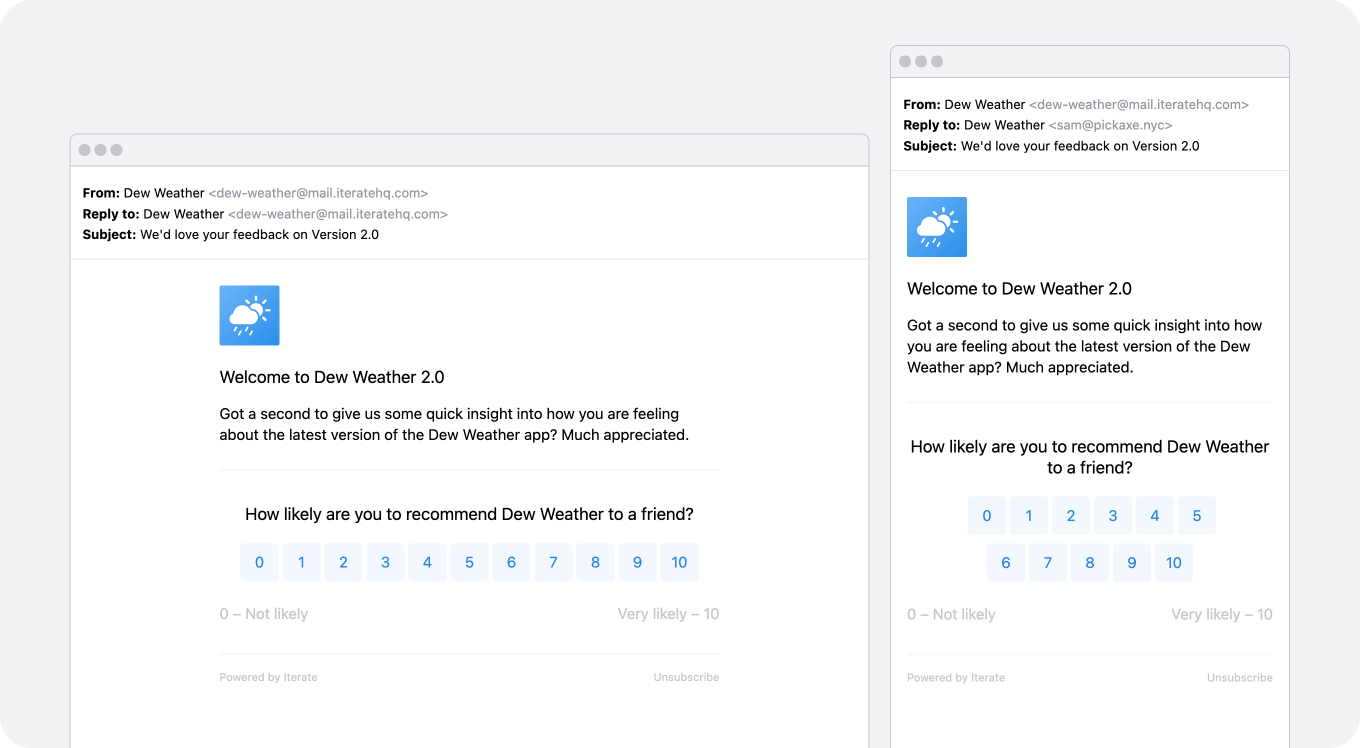
New: Inline Surveys, a new product feature
Inline surveys are an upcoming new ███████ ██ that will allow you to ████ ██ ████ ████! This will further enable you to ████████ ███ █ ████ ██. We’re excited to start rolling this feature out to █████████ ███████ ██. Interested in playing with the beta early? Let us know... team@iteratehq.comNew: Privacy policy update
We have updated our Privacy Policy to provide the latest information on our privacy practices. This update includes reference to our Data Processing Amendment (DPA) that is now available to all customers. There is no action required, you can review our updated Privacy Policy at iteratehq.com/privacy.Even more:
- Improvements to our Create a new survey flow making it even easier to choose the right type of survey, and place it neatly within the right project.
- CSAT and NPS response data in your dashboard can now be analyzed year-over-year, something our long-time customers will love!
- We’ve added an option to select question types that allow answer options to display horizontally instead of vertically. Customer request: check.
- Looking to add additional attributes to your embedded or link surveys to capture even more data, we now have a handy WYSIWYG input form to help you create them! PS: Don’t ask me what that acronym means, I just work here.
Latest from Iterate: User Permissions, Single Sign-On, SOC2, & more...
Version 1846
Introducing our new User Permissions feature!
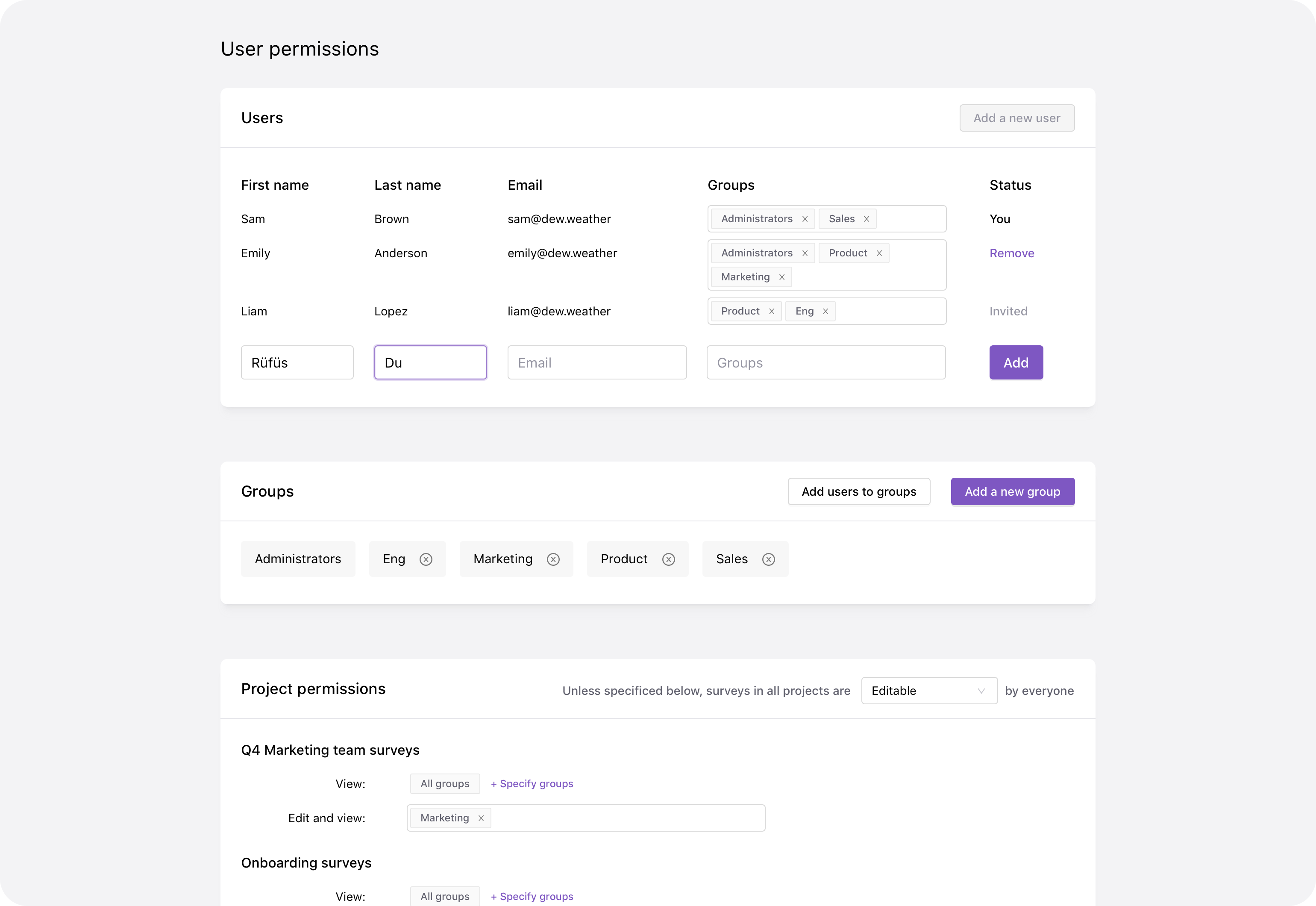
Managing survey access and permissions has never been easier with Iterate. Now you can create user groups and set project-level permissions to precisely control who can view and edit your surveys. Whether you need to organize your surveys, prevent accidental changes, or safeguard sensitive response data, our permissions system empowers you to tailor access rights to your exact needs.
With the ability to assign groups for viewing and editing surveys at the project level, you have full control. Invite new team members and manage their permissions effortlessly through our User Permissions page, accessible via your account Settings. Iterate puts you in command of your survey management. Learn more about Managing survey access and permissions
New: Single Sign-On (SSO)
As organizations expand managing multiple login credentials can become cumbersome, now you can streamline team members access to Iterate by allowing members to log in effortlessly using your existing Identity Provider (IdP). Migrate your team seamlessly and enhance security and efficiency with SSO. Learn more about SSO with IterateNew: SOC 2 Type II Compliance
At Iterate we are proud to announce that we have achieved SOC 2 Type II compliance. Our commitment to data security, availability, processing integrity, confidentiality, and privacy is validated by a thorough and ongoing audit. This comprehensive assessment confirms we maintain robust controls, not only for safeguarding data but also for consistently delivering secure and available services.New: MoEngage In-App Messages
We are thrilled to introduce a new MoEngage integration feature - In-App Messages. This capability empowers you to deliver surveys seamlessly as in-app messages using MoEngage, without the need for additional complex setup. Enhance your user engagement strategy and boost survey delivery efficiency, by reaching your audience in the right place at the right time. Enrich your customer profiles with real-time data, allowing for better campaign targeting and personalization.Even more: Improvements to question layouts at responsive sizes, additional accessibility features for small screens, CSV exporting respects all enabled filters, ability to hide Research Assistant content from question results, and additional stable classnames for optional customization.
New: MoEngage, visual & UX improvements, faster dashboards & more...
Version 1642
The latest feature and product launches from Iterate
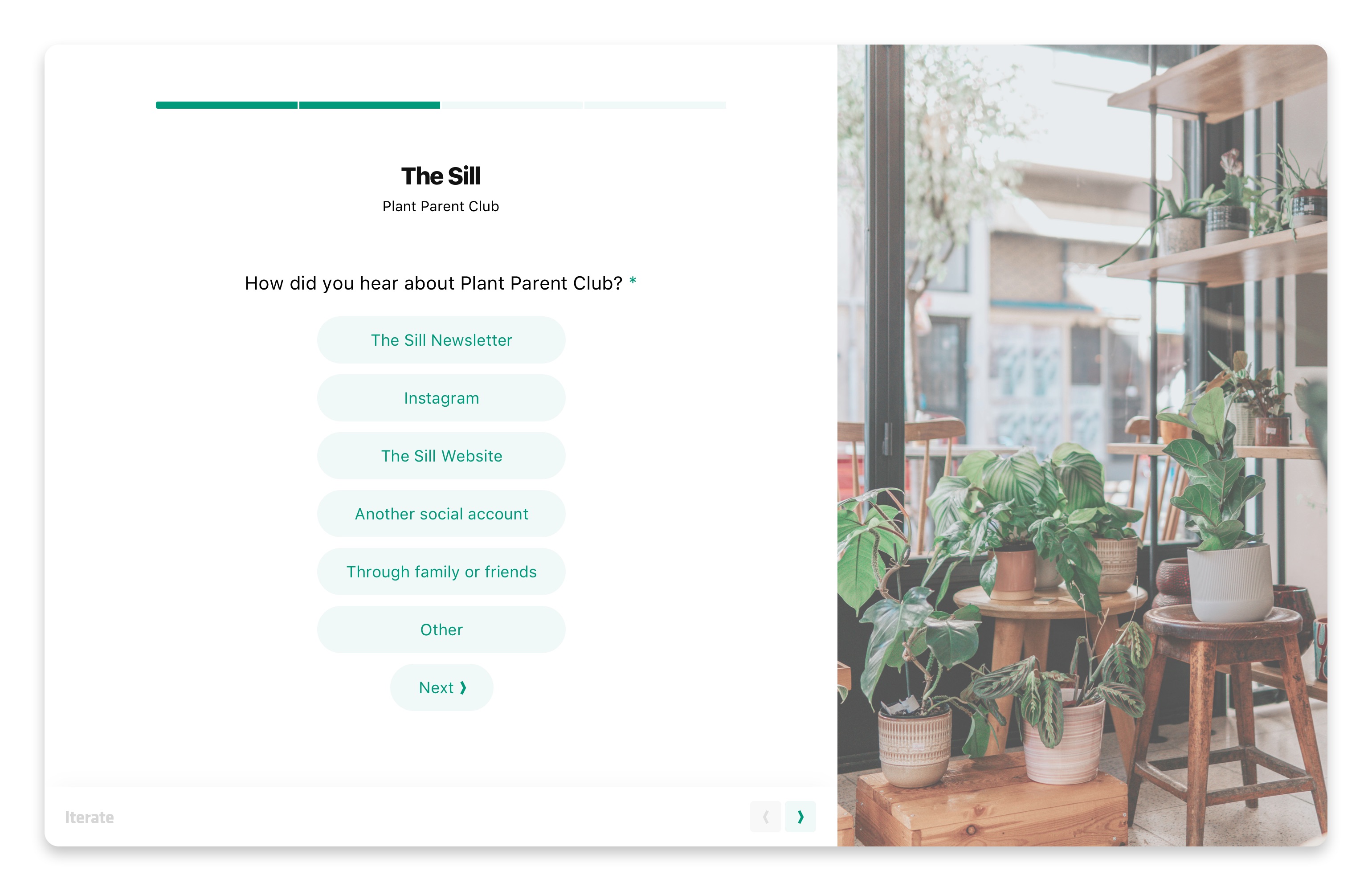
The Iterate survey interface got a touch-up just in time for summer ‘23. With a comprehensive set of UX and visual improvements, it’s now even easier to impress and engage your respondents with our updated survey interface. Tweak your branding, colors, typography, brand language, button corner radius (designers rejoice!), and add visuals to help set the tone for your questions, without taking your customers or users away from your experience with Iterate.
New: MoEngage integration
We’ve added a new crowd favorite to our long list of incredibly powerful integrations, MoEngage. Iterate integrates with MoEngage by recording survey responses as custom user attributes in MoEngage, allowing you to create powerful new audiences and segments. Fill in gaps and enrich your customer data by sending out a link to your Iterate survey via any campaign type in MoEngage: email, push, web, or in-app message, or when embedding an Iterate survey in your mobile app or website.New: Supercharged dashboards
Our survey dashboards just got a turbo boost thanks to our new analytics engine. The real-time analytics database that now powers our dashboards has blazing-fast speed and lightning quick response times. A behind-the-scenes task that’s been in the works for a while, its impact is anything but subtle. View millions of survey responses in real-time, and use our existing sorting and filter logic to get the results you need instantly.New: Multiple branch conditions
We understand that survey branching is a crucial aspect of tailoring your feedback collection. With our latest update, you can now create surveys with multiple branch conditions, allowing you to gather more precise and relevant feedback. If answers include this or that, show these questions for example allowing you even greater control over your question flows.Even more
- Date trait type: We added support for a ‘date’ trait type in our user and response properties, making it even easier to pass along data to target surveys to the right audience, and/or filter responses in your dashboard based on exact date timestamps. Party like it’s January 1st, 1970.
- Phone number question type: Gathering contact information from your respondents? Our new phone number question type allows you to collect phone numbers effortlessly using our country-code validation system.
- Download invoices: We have added the convenience of viewing and downloading invoices directly from your plan page, giving you greater transparency and control.
- Mobile survey UX improvement: Now, respondents taking surveys on mobile devices can conveniently close their survey at the end with a more user and thumb-friendly close button position, ensuring a smooth user journey.
- Tabular all surveys view: To make it even easier to navigate and manage your surveys, we have updated the layout of the All Surveys page to include a table view. With our clean and organized table view, you can effortlessly find, edit, and analyze your survey results.
New: Date & number question types, advanced options, and survey organization
Version 1545
New: Date/time & number question types
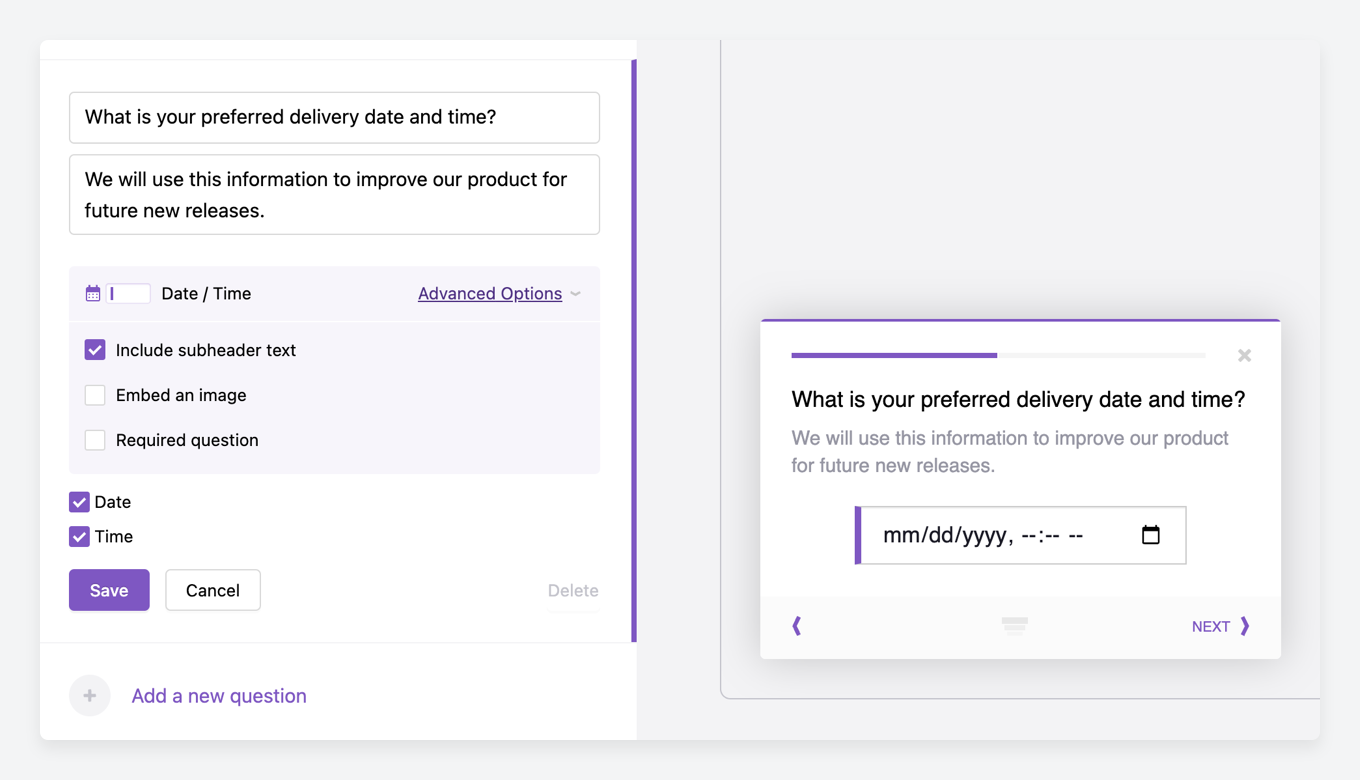
You asked, we listened! Our survey product now includes two new question types - Date/Time & Number fields. These new question types provide a more versatile and efficient way for customers to answer questions related to dates and/or time, and numbers. This makes it possible for you to gather more precise and accurate data from your participants, making it simpler to analyze and draw meaningful insights from the collected information.New: Subheader text advanced option
Have you ever needed to add additional information, descriptions, or details to your questions? Now you can! Our new Subheader text checkbox within Advanced options displays a second text field beneath your question copy. This new feature allows you to provide additional context and clarity to your questions, making it easier for your participants to understand what you‘re asking.New: Add images to your questions with Markdown
We‘ve made it possible to make your surveys even more engaging! With new Markdown image support, you can now add additional images to your questions or answer options. This can help make your surveys more visually appealing and engaging, helping you get the right information you need from your participants. More on our support for Markdown, the lightweight markup language.New: Organize & archive past surveys
Keeping track of all your surveys is getting better! Our recent update gives you the ability to archive past surveys, making it easier for you to keep your recent data organized and accessible. With this new feature, you can easily access past surveys when you need them, without having to sift through an expansive list of all of your surveys.Even more: Project selection for newly created surveys, improved efficiency of surveys response notification emails, additional stable classnames for your CSS-loving web dev, and so many performance improvements I can’t list them all.
New: Powerful Braze feature addition, custom URLs, fonts, and more.
Version 1427
Deliver Iterate surveys natively and seamlessly via Braze in-app messages 🎉
With Iterate & Braze every campaign becomes smarter, more targeted, and more successful. Now, Iterate‘s integration with Braze allows you to deliver Iterate surveys natively and seamlessly as an in-app message, using only the Braze SDK and without any additional setup.
Utilize Braze’s powerful segmentation and targeting tools to capture data from your audience based on any trigger or custom segment. This new feature is rolling out in stages, talk to your Iterate account representative today about early access. Learn more about Braze + Iterate.
Other updates include:
New: Use a custom domain as your survey URL
Our goal is to make Iterate feel like a core and seamless part of your customer or user experience. Using your domain name is a great way to stay on-brand. Any survey that is sent via a web link or email can use a custom domain instead of the Iterate domain. To set up a custom domain on your account, please contact your Iterate account representative.New: Event targeting for website surveys
Displaying your survey in response to an event will ensure you are targeting the right visitors at the right time. Using the Iterate Web SDK you can create simple events throughout your web app, then you can select which events you’d like to show a survey to. You can enter multiple events and your survey will show up if any of them is sent to us, giving you even greater survey targeting control.New: Numerical rating scale question type
Rating scale question types are a great way to measure the opinions and behaviors of respondents quantitatively. Now we’re making it even easier to create a numerical rating question. The numerical rating scale type has numbers as answer options (such as 1-3, 1-5, or 1-10) and importantly has labels that can be attached to the left and right of the scale. 5 - Very good update.New: Custom fonts on iOS & React Native
Continuing our goal of making Iterate feel like a core and seamless part of your user experience, you can now pass along any custom fonts that you are using within your mobile apps. Questions and buttons within the Iterate survey experience will now look and feel even more native to your app, helping you match your design style and making for a cohesive experience for participants.Even more: An improved layout for web targeting options drastically simplifying the interface, updates to the NPS question layout for small screens, better navigation on the Settings page, and too many performance improvements to list.
New: Updates from Iterate. New visuals, features, and compliance.
Version 1332
Making your survey dashboard even easier to consume. ☀️
The Iterate survey dashboard got a glow-up just in time for summer. With new visuals, chart styles, and data points, it’s even easier to quickly consume your responses, dive into the details, and use our powerful filtering features to understand how your customers are feeling and why.
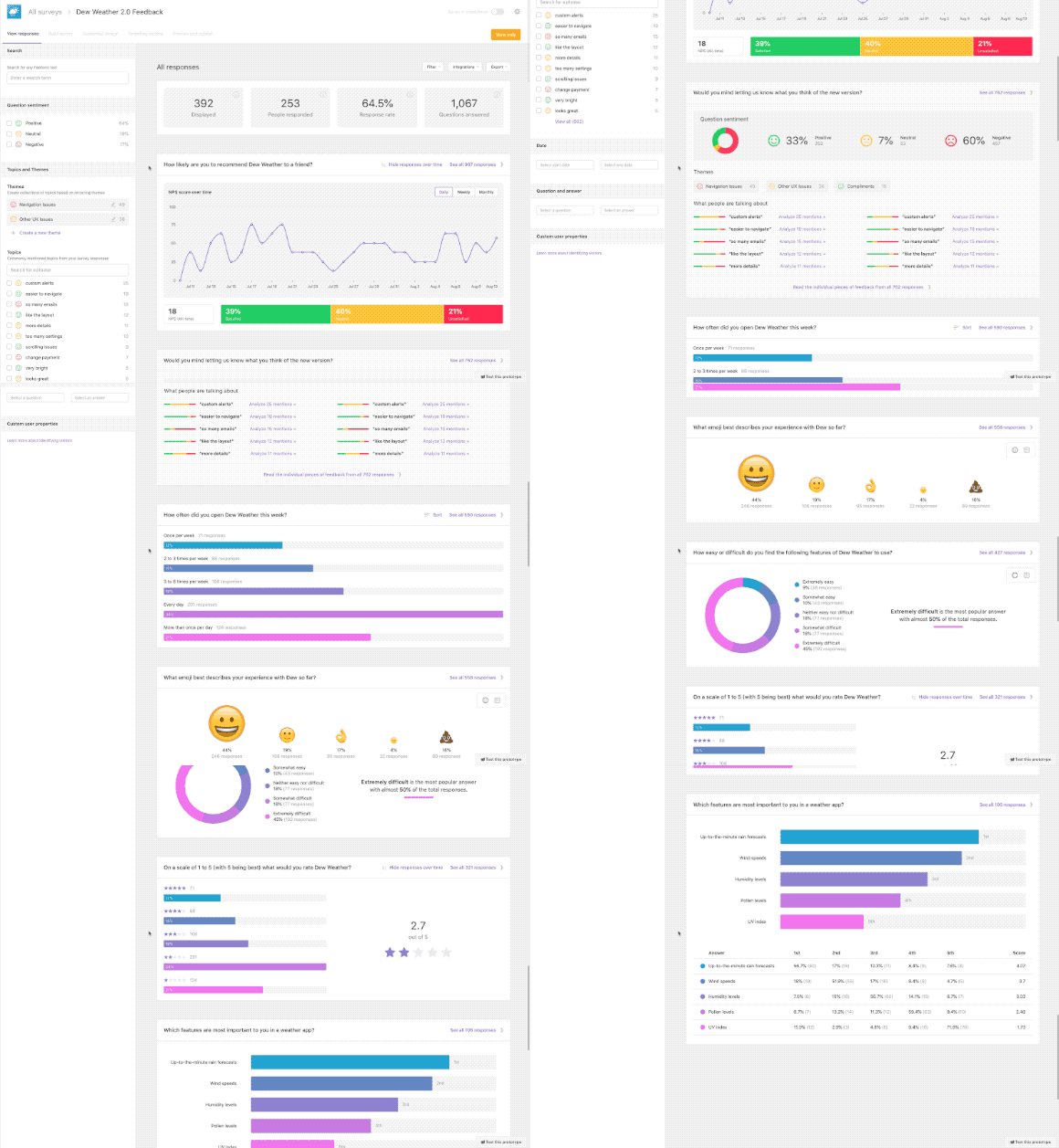
Other exciting updates include:
New: Iterate is HIPAA complaint
In our continued effort to improve the security and compliance needs of our customers, we are happy to say that Iterate is now HIPAA compliant. This enables Iterate to be used by customers who are required to protect medical data and patient privacy, specifically businesses in the healthcare industry and those associated with HIPAA-covered entities.New: Automatically close a survey
Looking to run a survey for a set period, or until you have reached a statistically significant amount of responses? Now, you can set your survey to automatically close at the right time. In your survey settings menu, you’ll see options to close a survey with immediate effect, at a date and time, or after a response limit, with the option to customize the closed survey message.New: Reduced javascript bundle size
You might not notice it, nor your participants, but the engineering team would be loath if I didn’t include a bullet item for all of the hard work they have been doing under the hood on performance and stability. We recently deployed a significant change that reduces our javascript web SDK bundle size by 90%(!), which saves a lot of 1’s and 0’s in bandwidth. Good for everyone.New: Iterable integration improvements
Our integration with Iterable enables you to record survey responses as custom user attributes, this allows you to create powerful new audiences and segments. For our Iterable power-users, you’ll be excited to hear we have enabled the ability to add multiple Iterable API keys, and even better, all survey responses will generate events in Iterable. Events can be used as the basis for custom segments, or to help you trigger campaigns.Even more: Improved layout and content in our real-time survey response notification emails, CSV exporting will respect any filters you have set making for easier data export, which now includes a better column layout for questions with multi-select options for example.
Research Assistant - Translate text responses into valuable insights
Version 1186
Asking customers to tell you what they think in their own words yields crucial insights about your business, yet it can leave you with far too many responses to read through yourself. That’s where Iterate’s new Research Assistant tool comes in.
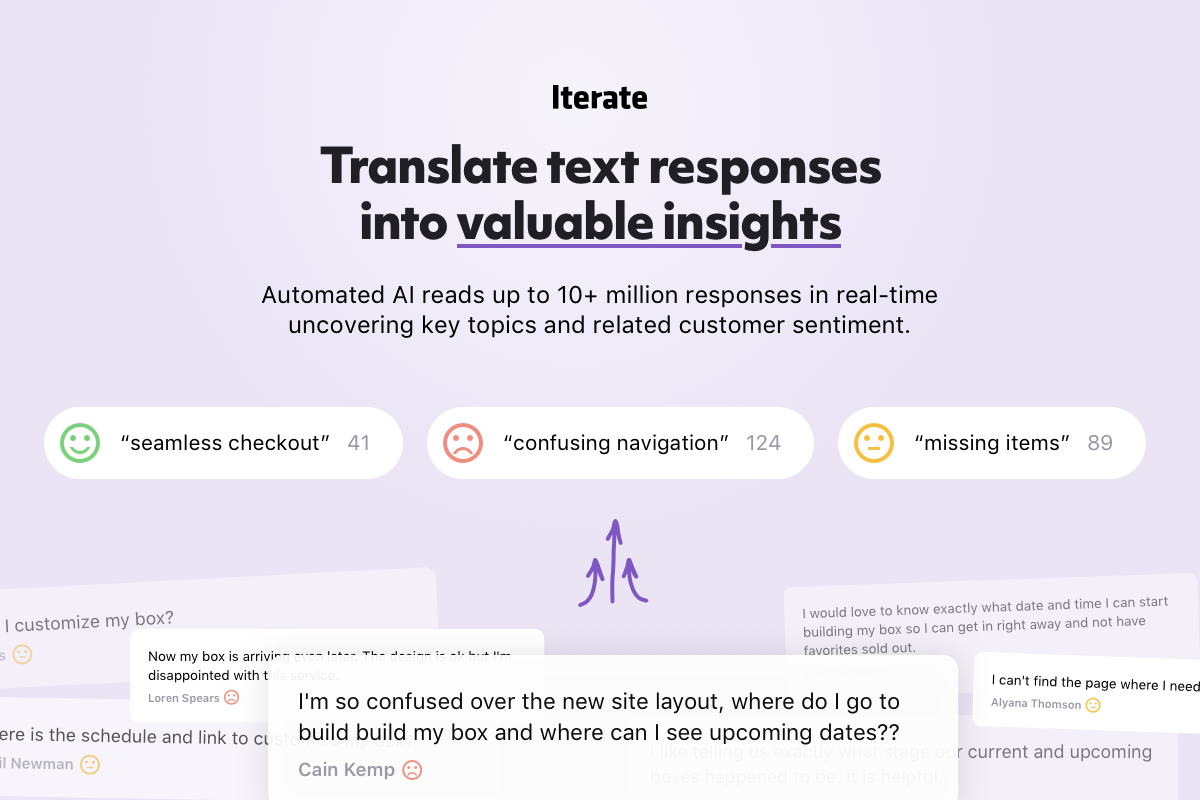
Powered by AI, Research Assistant reads through and analyzes text responses to pull out key topics and tell you how your customers are feeling, so you never miss a chance to improve.
And the best news? It’s already installed FREE on your Iterate dashboard through November! Try it now to discover this powerful new tool and how it can help you maximize customer happiness with your products and services.
Simple and powerful tagging
Version 1188
Coinciding with our recent launch it is now even easier to manually tag feedback you receive. Use tags to optionally categorize feedback you receive, or as reminders for your team to follow up. You can even add tags to Themes, filter your responses based on tag, and export all that data with a couple of clicks.
Insert dynamic text based on user data into your surveys
Version 1180
Dynamic text allows you to show user or response property data in various parts of your survey. For example, you can personalize question text with the respondent's name, or add a unique discount code to the thank you message. Dynamic text is supported in various places and can be used to filter responses on your dashboard.
Added ability to filter by response properties
Version 1178
It is now possible to filter your results by response properties as well as user properties. Response properties are commonly used to include information about the page they are on (e.g. url, sku number, order id, product name, etc).
Android SDK joins the iOS & React Native party
Version 1141
Iterate now supports 99% of all mobile operating systems with the recent launch of our Android SDK, allowing you to show surveys in response to events within your mobile products. It's lightweight, easy to install, and all the survey creation happens within your Iterate dashboard.
Iterate supports Dark Mode for In-App Mobile Surveys
Version 1115
Iterate now fires an event directly into your connected Braze account when a respondant answers any question. This survey-question-response event allows you to trigger action based campaigns such as adding someone to a nurture campaign if they recently responded with a low score to your NPS question.
Trigger campaigns in Braze with action-based events
Version 1081
Iterate now fires an event directly into your connected Braze account when a respondant answers any question. This survey-question-response event allows you to trigger action based campaigns such as adding someone to a nurture campaign if they recently responded with a low score to your NPS question.
Iterate for Mobile is now available for React Native apps!
Version 1050
Hear directly from your users right in your Android and iOS apps. Our new React Native SDK is developer-friendly, lightweight, and easy to set up.
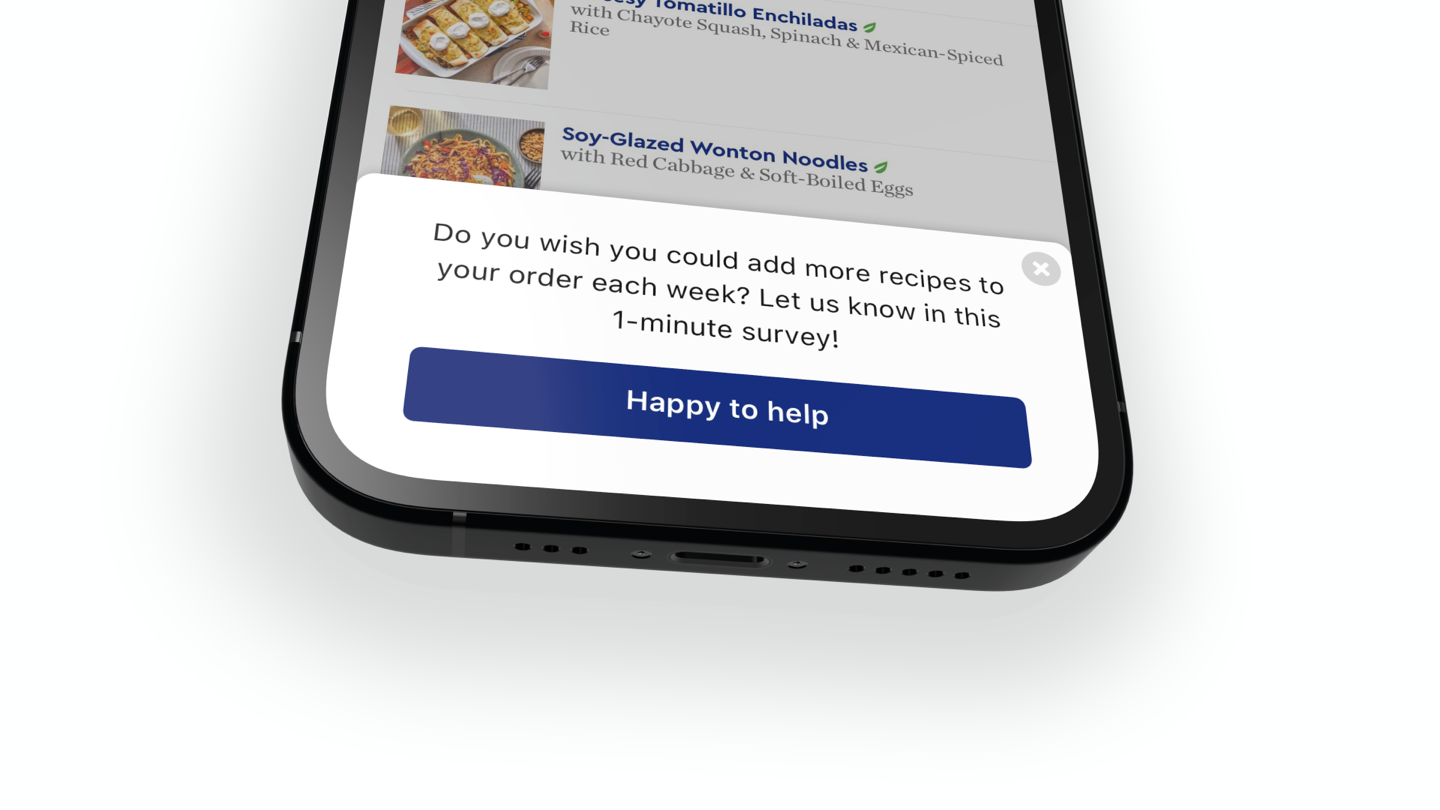
Our in-app surveys allow you to target the right people at the right time within their user journey to make sure you’re getting the most relevant, valuable feedback.
Use our in-app surveys to help you prioritize your product roadmap, optimize the user experience, and catch churn before it happens by gathering qualitative insights in context.
Learn more about our mobile surveys, and check out our easy to follow documentation.
Mobile global rate limit
Version 1047
We have a lot of smart defaults in place to make sure you do not over survey or over sample your visitors or users. Now it‘s possible to have a global rate limit for both mobile & website surveys, as well as the existing limit on a per survey basis.
In your company settings, under In-app surveys you can specify the maximum percent of users eligible to see surveys.
All surveys view improvements
Version 997
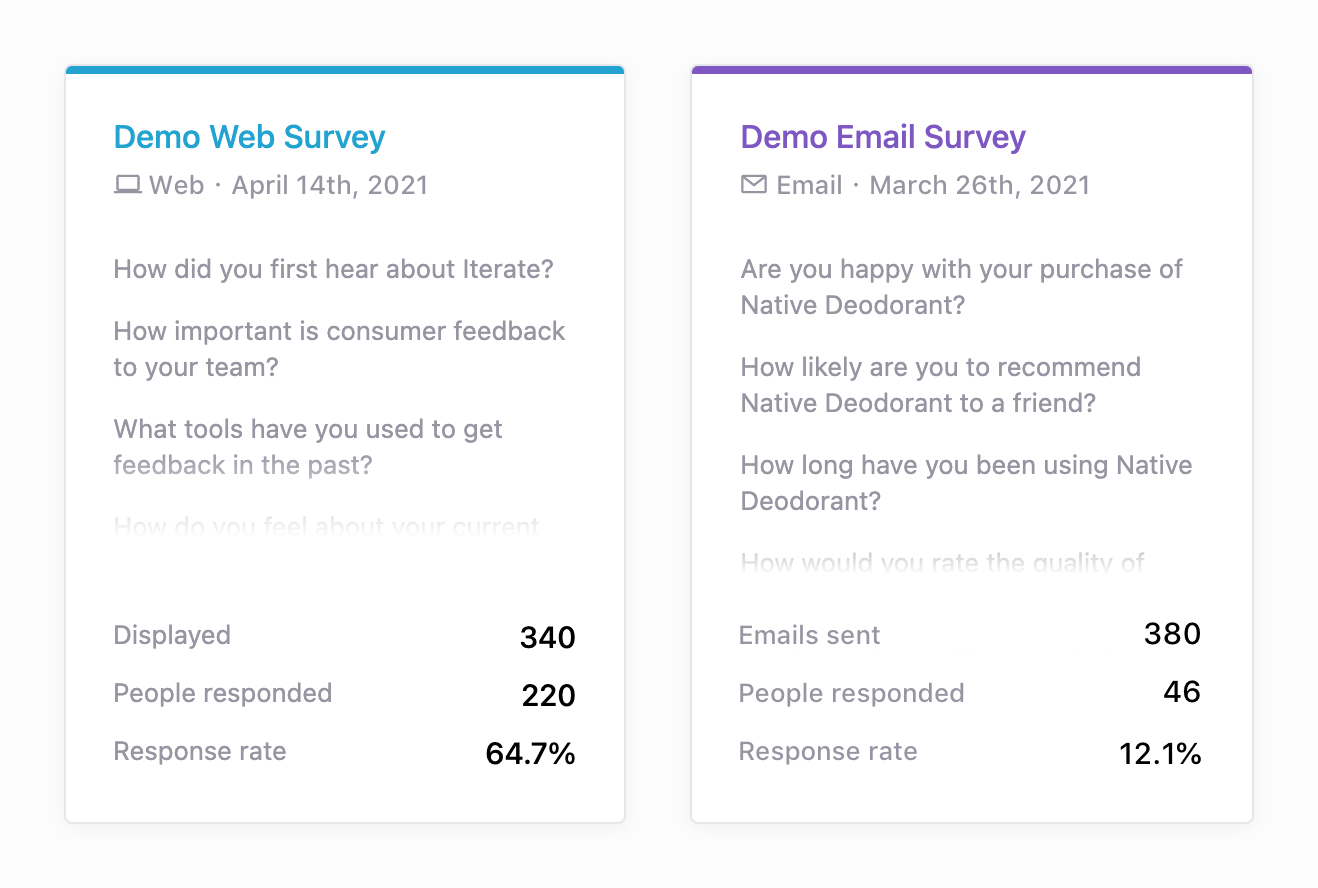
We made a number of small improvements that make for a better overall all surveys view experience, the screen you see when you initially log into Iterate.
The new all surveys view now highlights top-level stats for your surveys, including display & sent counts, number of respondents, and response rates.
It‘s now easier to differentiate between survey types, web, mobile, or email/link. Additionally, editing, grouping, moving, renaming, duplicating, converting, and deleting is all just a click away.
Powerful new filtering options for your survey responses
Version 862
The responses dashboard for your surveys has just gotten much more powerful, with the addition of several new filtering options.
Filter by date
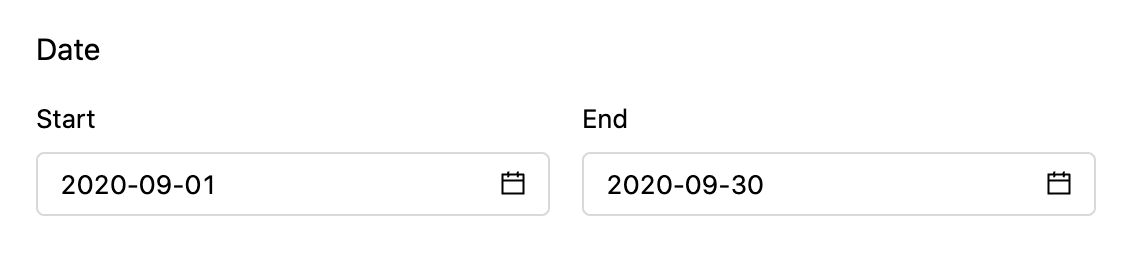
For a long-running survey, limit your view to responses from a specific time range.
New: Filter by question and answer
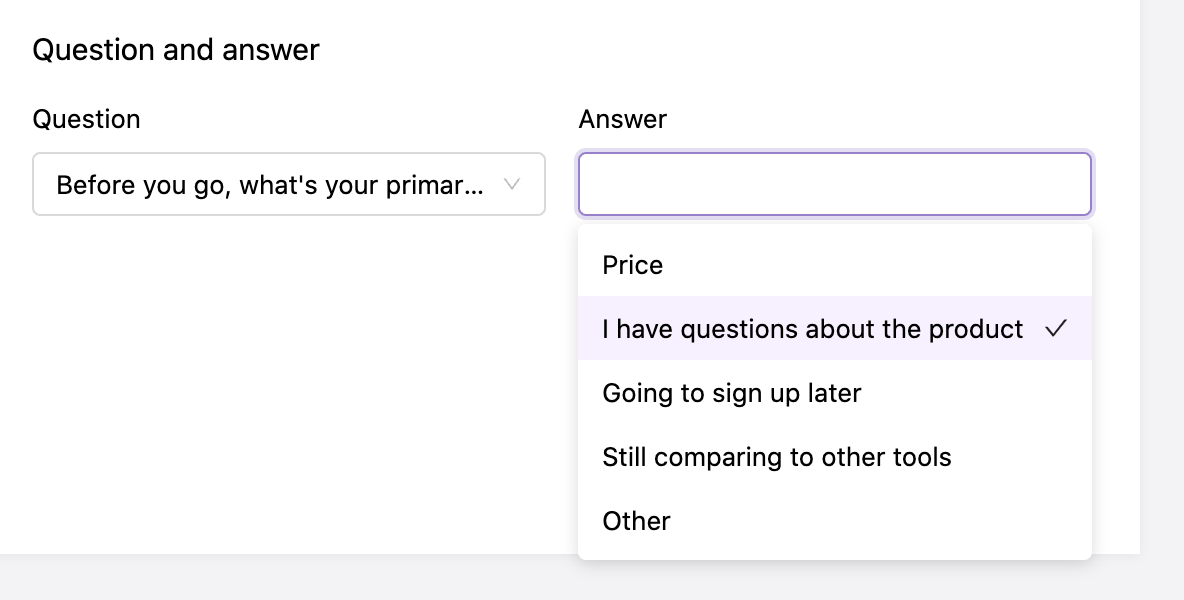
Only show responses from people who selected a specific answer (or range of answers) to a given question. For example, show all the responses from people who answered negatively on a CSAT question, or filter to just NPS promoters.
New: Filter by custom user properties
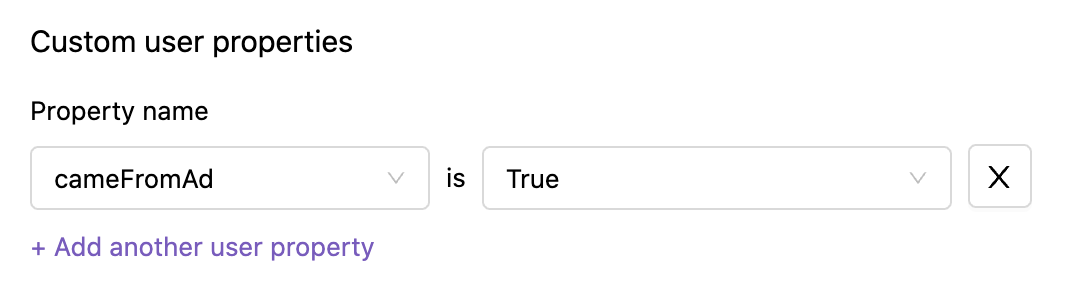
Use our mobile or web integrations to provide any details or segmentation data you want about your users, and then filter by that data in the Iterate dashboard.
New: Filter by “other” responses
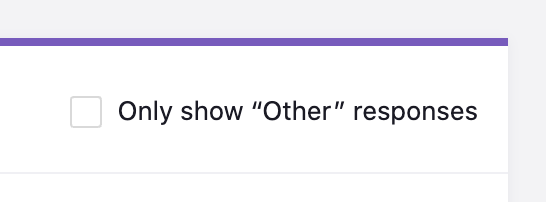
For select and multiple select questions with an “Other” option, you can now filter to just those responses.
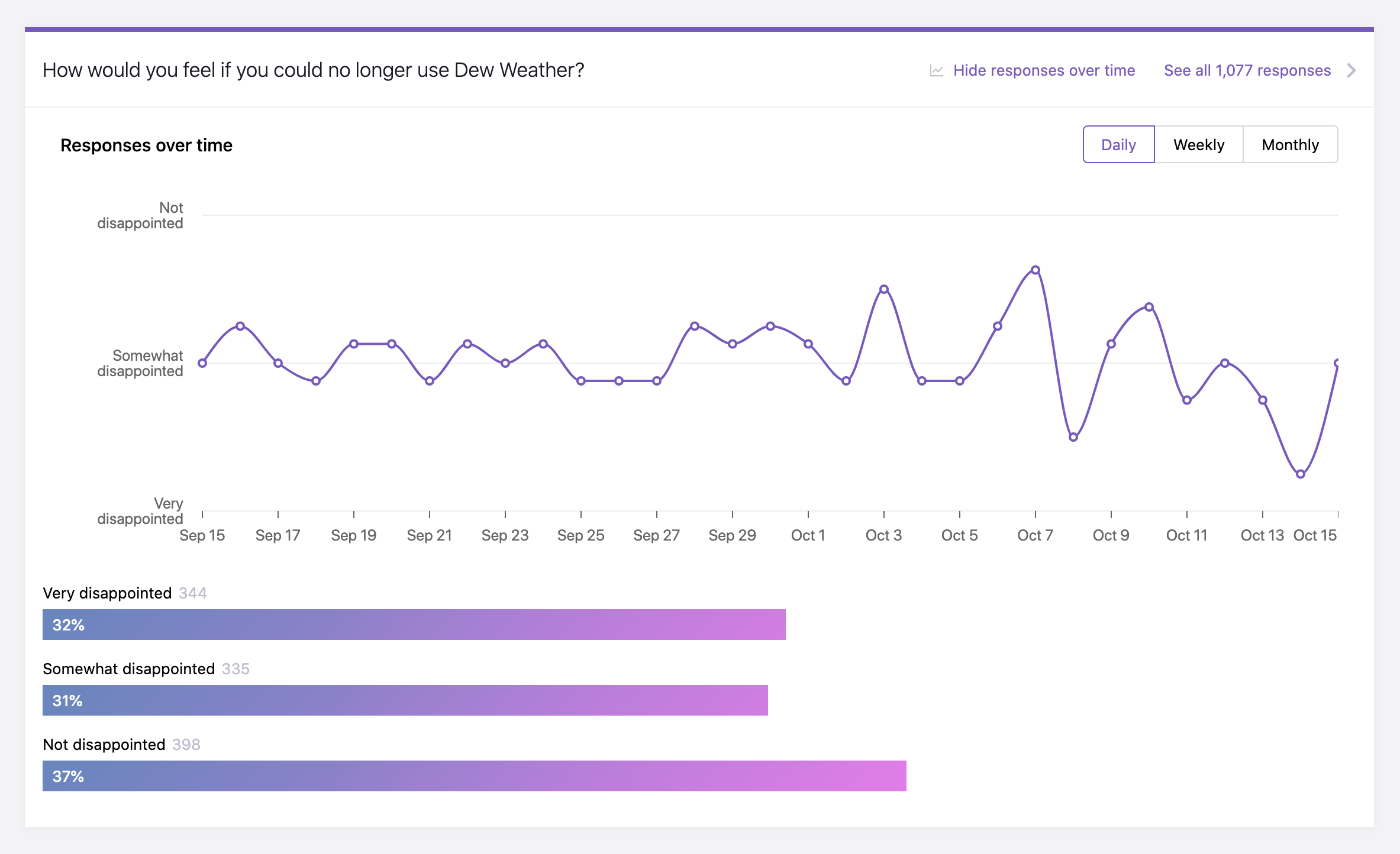
View responses to rating questions over time
Version 852
In addition to NPS and CSAT questions, you can now view a graph of responses over time for all rating scale questions (star ratings and likert scales).
In-app mobile surveys
Version 851
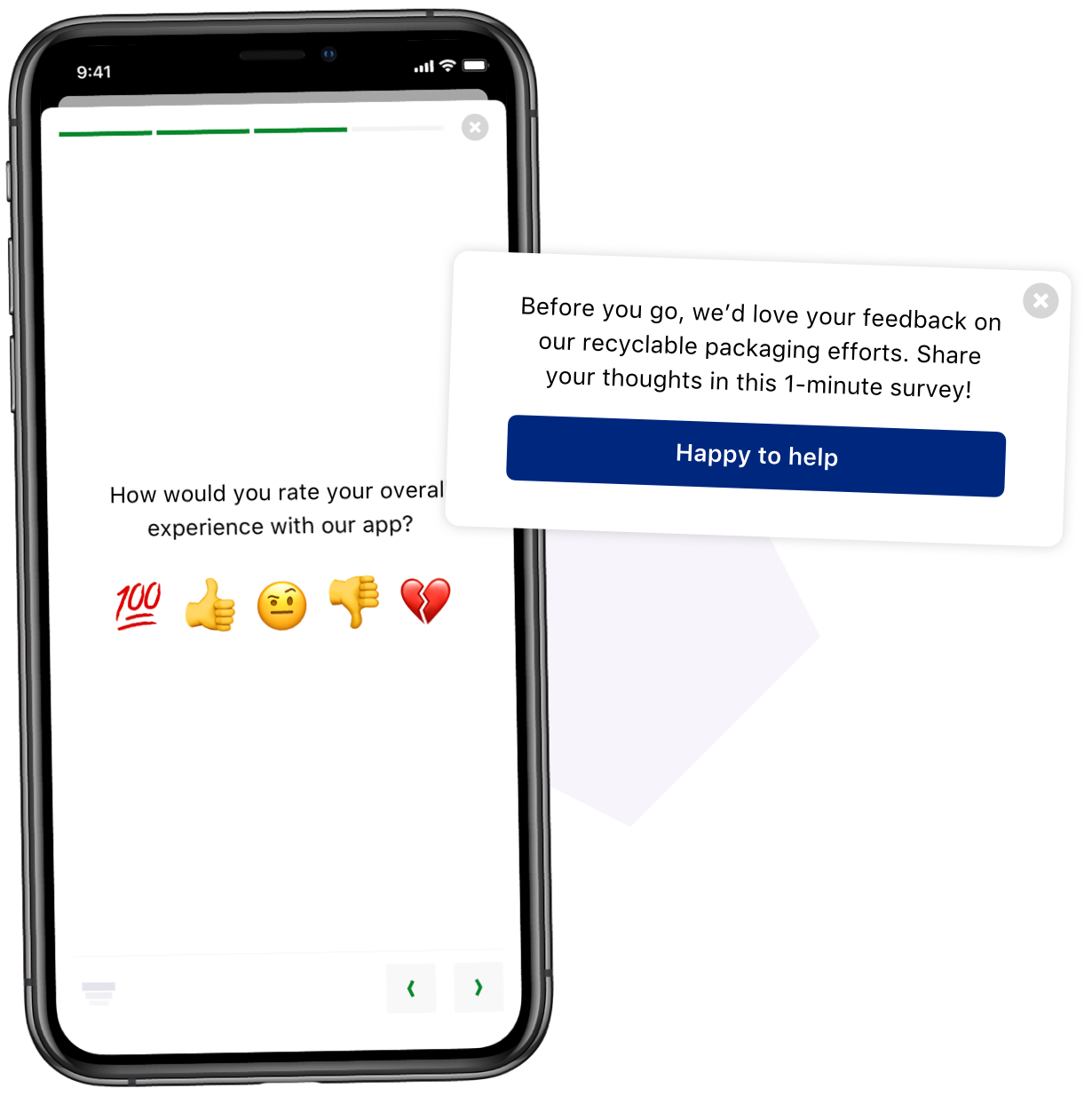
We‘re very excited to announce our iOS SDK! The Iterate for iOS SDK lets you hear from your users directly within your mobile app, it’s developer friendly, lightweight, and easy to set up.
Our in-app surveys allow you to target exactly the right people at the right time within their user journey to make sure you’re getting the most relevant, valuable feedback.
Braze Premium Integration
Version 825
Iterate integrates with Braze by recording survey responses as custom user attributes in Braze allowing you to create powerful new audiences and segments.
Fill in gaps and enrich your customer data by sending out a link to your Iterate survey via any channel in Braze: email, push, or in-app message. The link will include the user‘s braze id, which will be used to identify that user. When they fill out the survey the responses to each question will be set as a custom user attribute.
With Iterate you can collect nearly any type of data. Ranging from personal info (name, age, email), performance data (NPS, Customer Satisfaction, star ratings), preferences (preferred device, preferred frequency of communication), or personality (favorite book, dog or cat person). What you ask is entirely up to you and what kind of audiences you‘re looking to build.
Javascript Response Callback
Version 703
You can use the ‘onResponse’ method of our Javascript SDK to set a callback method which will be called every time a question is answered. Use this callback to capture question and response data for analytics purposes, or to trigger actions on your site when survey questions are answered.
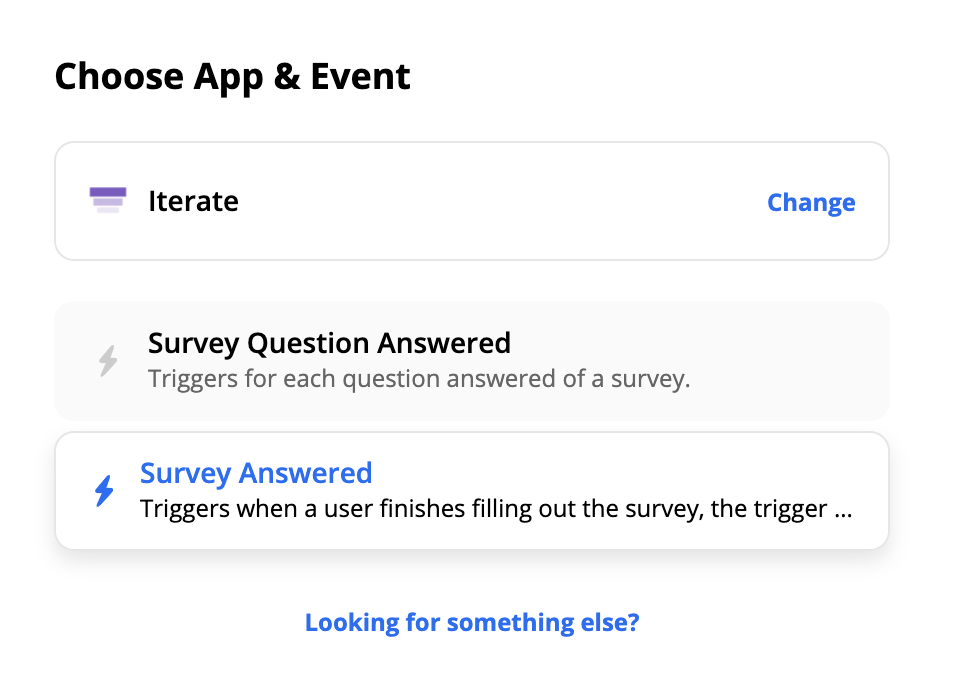
New Zapier action: “Survey Answered”
Version 701
There’s a new option for sending your Iterate survey data to the thousnads of applications supported by Zapier. In addition to our previous Zapier action, “Survey Question Answered”, there’s a new action called “Survey Answered” which will include all of the user’s responses to the survey grouped together.
Easier access to our integrations
Version 690
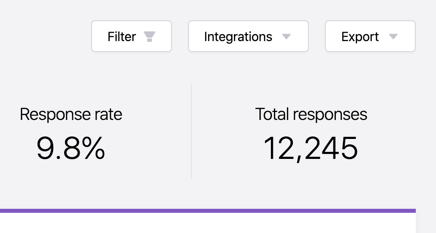
We have a growing list of integrations at Iterate, everything from Braze and Klaviyo, to Iterable, FullStory, custom webhooks and Zapier too. Now all of these options are available to you easily at the top of your dashboard in our new Integrations dropdown menu.
FullStory integration
Version 679
Iterate integrates with FullStory by letting you send survey responses as FullStory events or user data. Use survey responses to segment users based on their positive or negative feedback, and get a full picture of their experience.

Our FullStory integration makes use of the onResponse method of our javascript SDK. This method lets you pass in a callback method which will be called every time a question is responded to. To send data to FullStory you simply send the question data from that method, into FullStory using their SDK.
Convert surveys between web <> email/link
Version 670
Iterate surveys currently exist in two different formats, surveys that can be embedded directly on your website and email / link surveys that can be shared to your subscribers via Iterate or via a manual link. You can now easily convert surveys between these two modes via the settings gear on your survey dashboard.
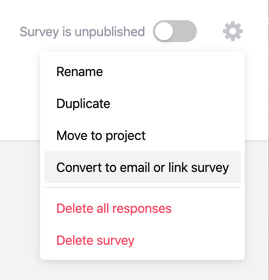
For example you may want to create a second version of a survey (we keep your survey questions and any responses), but want to distribute it via email instead of directly on your website.
Associate page specific data using response properties
Version 640
Using the "Identify" method of our javascript API, you can easily add properties to a user that can be used to target surveys to them and associate the information with all of their future responses.
Now you can additionally associate response data with a user's response, this response data is only associated with the responses to the survey on the current page they are on, not on any future surveys. As an example commonly used response properties include information about the page they are on (e.g. url, sku number, order id, product name, etc).
Read more about our associating data with a user or response
Embed your survey into your own emails
Version 624
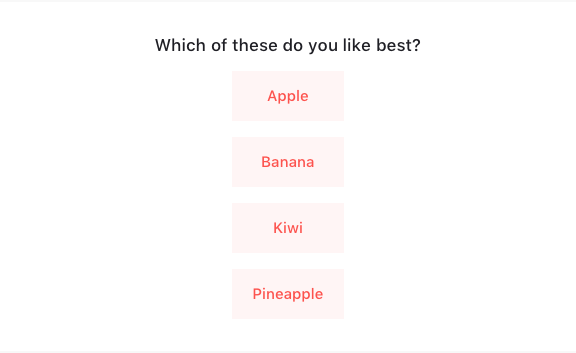
It is now possible to integrate our 1-click surveys into your own emails, letting you collect feedback using your existing email campaigns and marketing tools. This is a great option if you would like to include a survey in an email that you are already sending like a newsletter or post-purchase email.
To get started, you'll need to create and add questions to a new email or link survey, and then by selecting the Email Embed option within the Integrations section of the Send Email tab. There you will be able to choose your email provider of choice which will allow you to capture the email address of the receipient automatically, or you can choose the Other option and provide your own mail merge tags. As always, more details are available in our help center.
Filter survey responses to a specific date range
Version 629
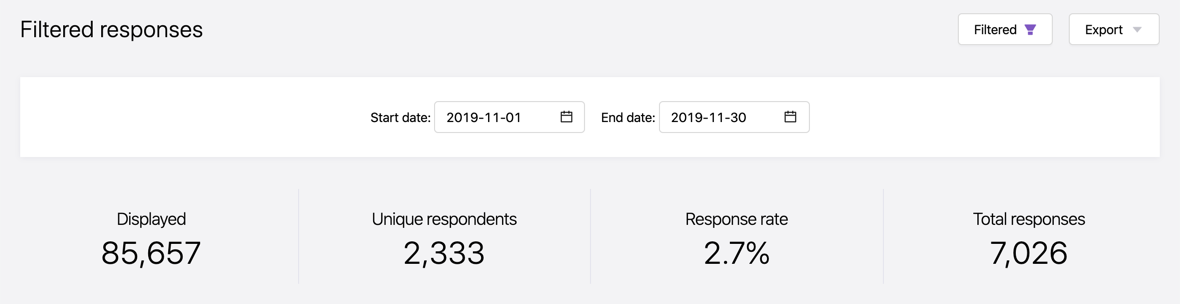
By default you will see all of the responses to a survey on your dashboard, and now with our new date filtering feature you are able to see responses only from a specific date range. Simply open the new Filters toggle and select a Start and End date for your range.
Iterate + Klaviyo, create powerful new segments with survey response data
Version 627

Iterate integrates with Klaviyo by recording survey responses as custom user attributes allowing you to create powerful new segments in Klaviyo. Klaviyo is an ecommerce marketing platform that allows you to deliver email, web and advertising experiences worthy of your brand.
Fill in gaps and enrich your customer data by sending out a link to your Iterate survey via a campaign or flow in Klaviyo. The link will include the user's email address, which will be used to identify that user. When they fill out the survey, the responses to each question will be set as a custom user attribute in Klaviyo.
User properties can now match on 'contains'
Version 621
Targeting surveys based on custom user properties is a powerful way to gather hyper-specific feedback, and now that targeting is even more robust with 'contains' as an option for string matching.
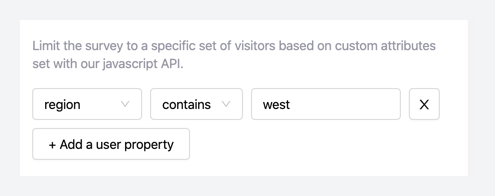
Personalize email subject lines and text with variables
Version 590
Now when you send a survey via email you can further personalize the subject line and intro text using variables. Much like mail merge tags, you can specific things like first and last name, as well as email address.
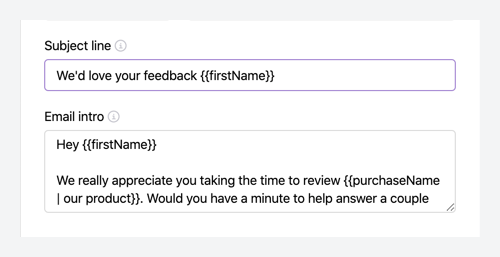
We offer the ability to add smart fallbacks in case you send to an email for whom that data doesn‘t exist. If you are using custom user attributes you can add additional information about your receipients and include those as custom variables too.
Updated Iterate email designs
Version 585
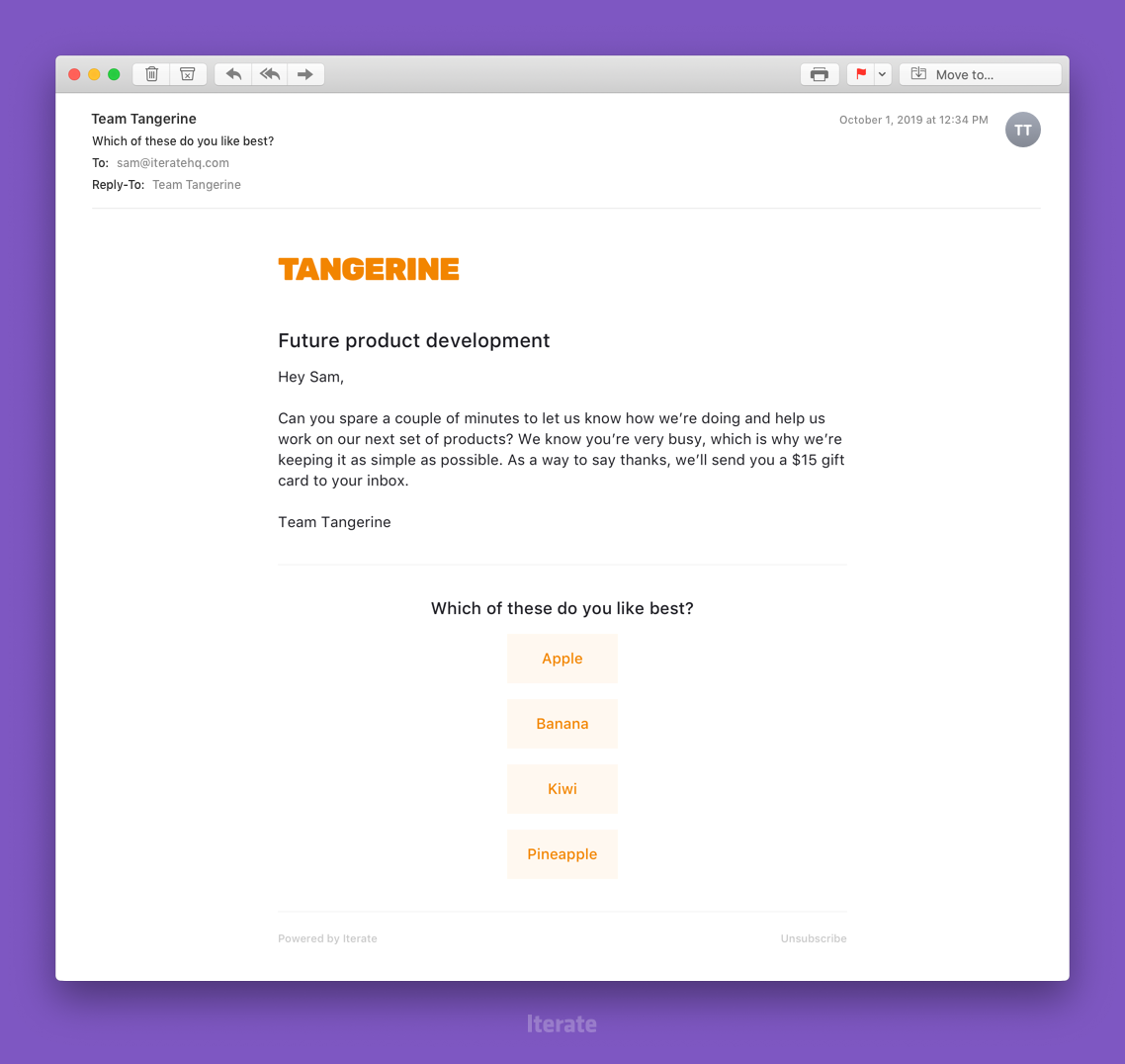
Over the last few weeks we rolled out a nice set of improvements to email surveys that you send from your Iterate dashboard. We have simplified the email template with more focus on your branding, optional message, and the embedded first question. Additionally we are adding the ability to personalize the messaging with dynamic properties (such as the recipients name).
Connect to Iterable to enrich your customer data with survey responses
Version 577

Iterate and Iterable: two tools with names so similar, they were destined to work together! Iterable is an integrated, cross-channel growth marketing platform that enables brands to power customer engagement with campaigns across email, push, SMS, and in-app messaging.
Fill in gaps and enrich your Iterable customer data by sending out a link to your Iterate survey via any campaign type in Iterable: email, push, web or in-app message. The link will include the user’s email address, which will be used to identify that user. When they fill out the survey, the responses to each question will be set as a custom user attribute in Iterable.
Display a survey after a set time on the page
Version 563
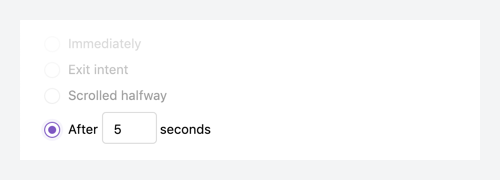
Our new survey display option, time on page, allows you to prompt your visitors with a survey after a visitor has been on your page for a specified amount of time (in seconds).
Keyboard shortcuts now trigger exit intent surveys
Version 562
Our exit intent surveys display when we determine a visitor is about to leave your website through a variety of mechanisms, and that now includes if a visitor attempts to change the location of their browser window using a keyboard shortcut such as Command/CTRL + L.
New and returning visitors
Version 557
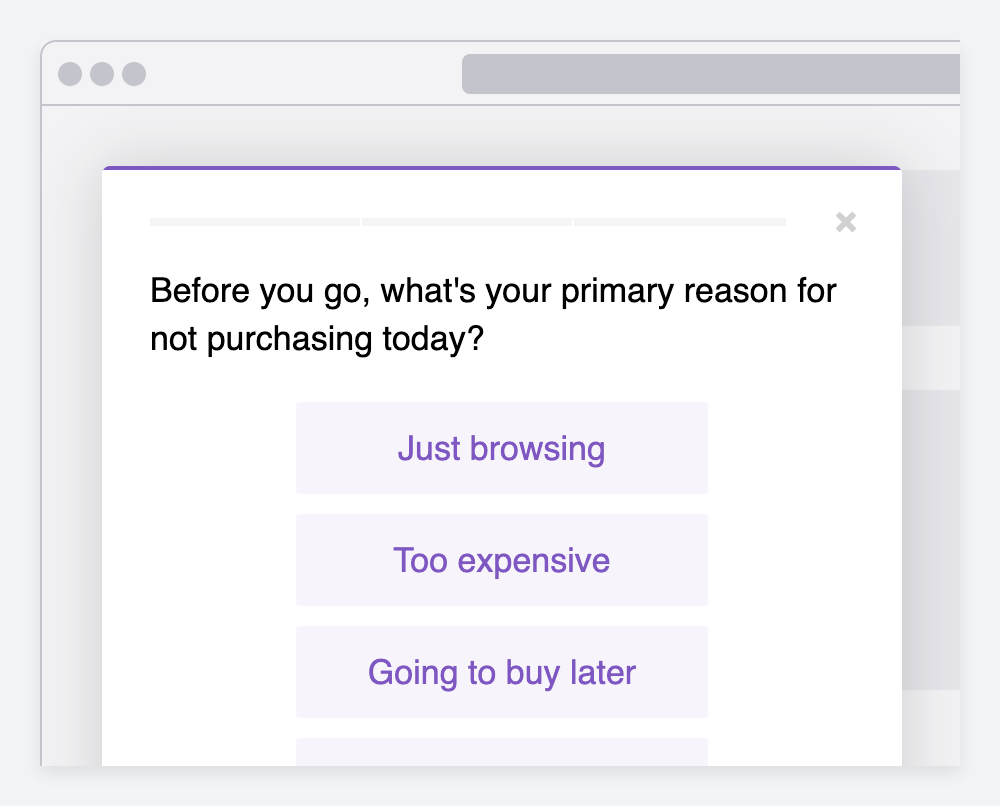
Only showing surveys to return visitors has been a popular targeting option, now we have the opposite option too, only show to new visitors – additionally we added the option to allowing you to capture responses from all visitors (Both new & returning).

Preventing surveys from showing on certain pages
Version 551
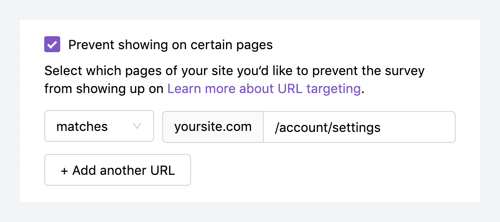
In addition to targeting which pages you would like to show a survey on, you can now specify pages you would like to prevent from showing the survey. This gives you even more control over targeting to ensure surveys are shown only to the right people at the right time.
Add query parameters to link surveys
Version 543
This latest update gives you the ability to associate user attributes with responses by passing query parameters into a link survey.
iteratehq.com/survey/123?user_order_id=456
When you pass query parameters to us via the link survey URL those parameters will be saved as user attributes and available to view on our dashboard, and in all available export formats (CSV, Zapier, webhooks). This is a convenient way to pass in identifying user information like email address, order ID numbers, or a user_id when including a link to your survey in an email.
Allow multiple responses to a survey
Version 541
We have added a new targeting option allowing you to set how often a survey can be responded to.
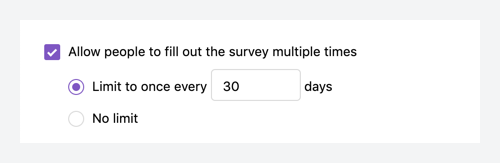
By default a survey can only be completed once per recipient, or you can enable the multiple responses mode where you can limit responses to once per custom period (days) or set it to no limit, allowing respondents to fill out the survey as many times as they like. We‘re excited to see what additional use cases this opens up for you.
Redirect to a URL as a branching option
Version 539
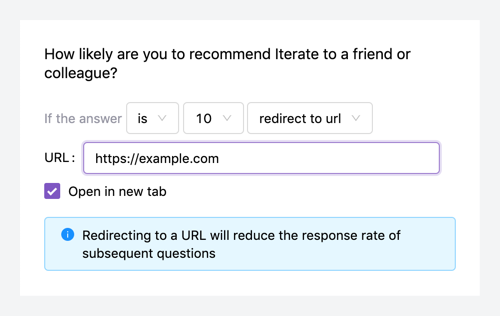
We have added a new branching logic option allowing you to redirect to a URL of your choice based on a specific answer. Now you can use our branching logic to ensure you‘re asking relevant questions based on previous responses, skip to the end of the survey, or redirect a respondant to a URL.
Customize how frequently visitors can see surveys
Version 538
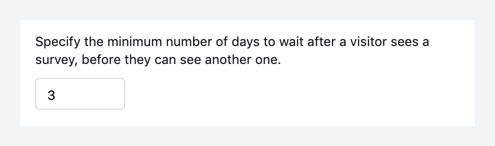
By default, once a visitor has been shown a survey on your website (whether they respond to it or not), they will not be shown any other survey for 3 days (72 hours), even if they‘d otherwise qualify to see a survey. This is to prevent over-surveying.
You can now customize the number of days to wait before showing another survey on your settings page. This setting applies across all of your website surveys.
New dashboard and survey editor
Version 533
We have rolled out our updated dashboard and survey editor to all customers after our opt-in beta period. Thanks for all the feedback along the way.
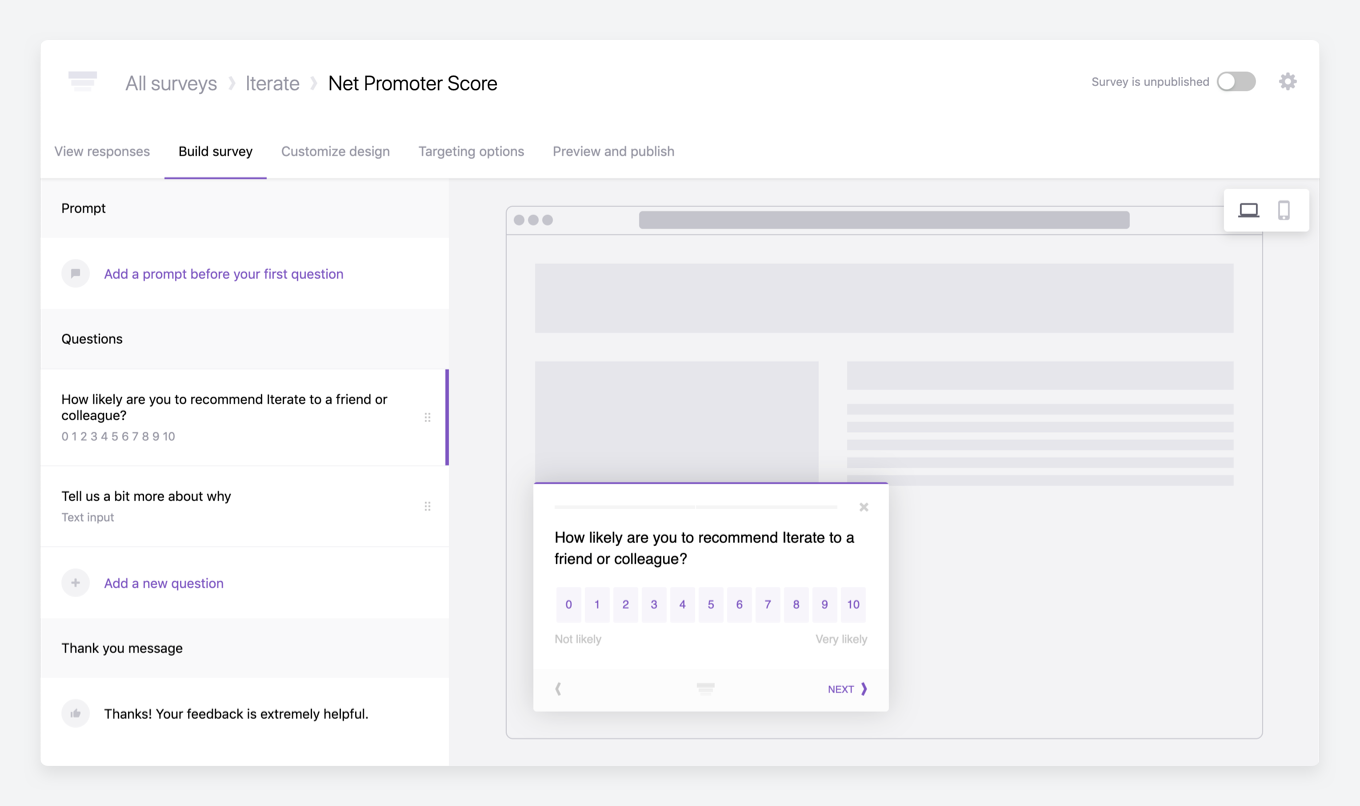
This version of the editor includes an updated results dashboard, on-page preview of the survey as you build with desktop, email, and mobile support, additional question types and options, advanced branching and skip logic, more customization options, our powerful and robust targeting options, and a preview and publish tab with the install code and ability to live preview on your site.
Customer Satisfaction template and question type
Version 526
Customer Satisfaction or CSAT is a customer experience metric used for measuring happiness with your product or service. It simply asks “Overall, how satisfied are you with [your company]?“.
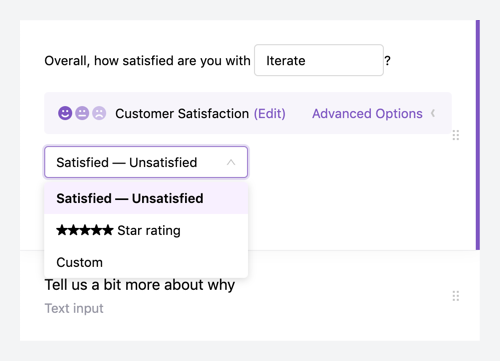
We have added both a customer satisfaction question type with multiple response options (Satisfied scale, Star rating, or Custom labels), as well as an easy to use pre-created template. Additionally responses to this question are tracked over time on your dashboard.
Global rate limit for website surveys
Version 508
Have a lot of traffic to your website or want to set a rate limit once, then this feature is for you!
By default all visitors on your website are eligible to see surveys. If they visit a page matching the targeting criteria (e.g., URL targeting) you‘ve set for a survey, they will see it (learn more about survey eligibility).
Now you can set a global limit on the Settings page, as well as our existing per-survey limit on the targeting options page.
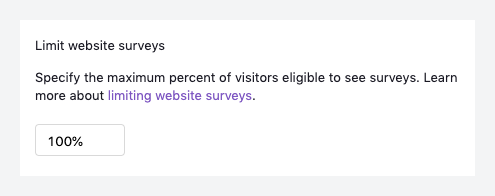
The global limit will apply to all surveys, for example if you set a company-wide limit to 50% only 50% of all visitors will be able to see any surveys, regardless of any individual surveys settings. Additionally, this can be used in combination with the per-survey limit, for example if you set the company-wide limit to 50% and a per-survey limit to 10%, that survey is eligible to be shown to 10% of your 50% limit (5% of total visitors).
NPS scores over time
Version 473
Due to the specific nature of the NPS question type, we have a special section on your survey dashboard that showcases your NPS score and now that includes a handy graph that charts your score over time.
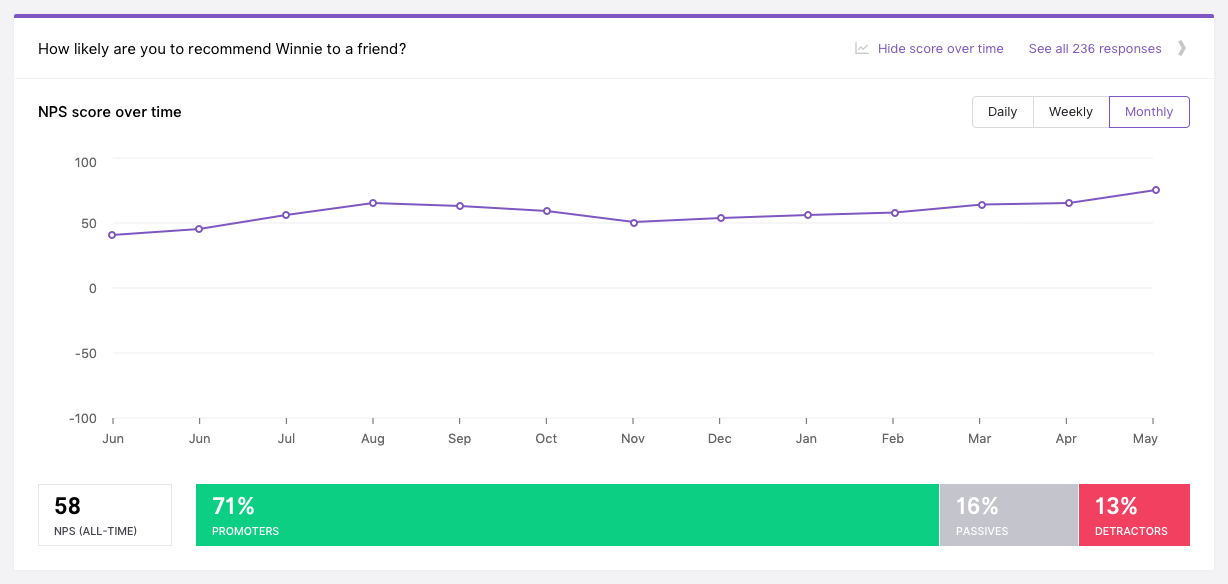
You may additionally view this new graph at Daily, Weekly, or Monthly intervals.
Displaying response rates for web surveys
Version 472
We’ve added a new top line metric to our website surveys product, response rate.

The response rate is the number of unique respondents to your survey out of the total number of possible people who could have responded.
Multilevel branching
Version 452
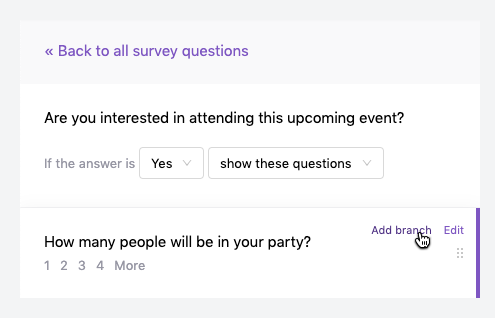
Looking to ask very specific follow-up questions based on your respondents answers? Look no further.
By using our new multilevel branching logic you can ensure you are asking relevant questions based on previous answers many levels deep. Simply select Add branch where available within the question editor.
URL targeting with regular expressions
Version 438
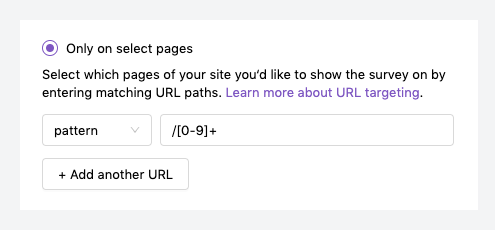
Pattern matching on URLs is a new and powerful feature for targeting website surveys. Similar to Contains, Pattern matches against the entire URL (host name, page, query parameters) using a regular expression.
Updated templates for CSAT and CES
Version 403
Interested in tracking customer satisfaction scores or customer effort scores? Now you can with ease using our newly added CSAT and CES templates.
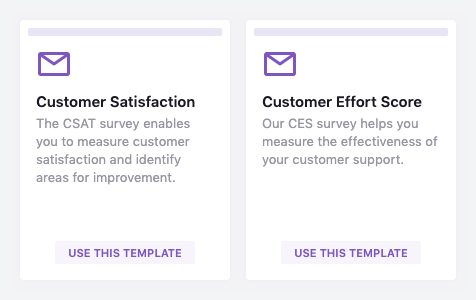
Simply select the appropriate template at the top of your Iterate dashboard and we’ll pre-populate the correct questions for you.
New API endpoints grouping responses by user
Version 394
Get responses grouped by user for a specific survey.
/surveys/id/response-groups
Our new API endpoint groups the responses by user and represents that user‘s complete “response” to the survey. The responses within the group are in the same order as the questions in the survey.